In early November 2026, xAI leadership said publicly that the cost to run Grok Bot was too high for current revenue.
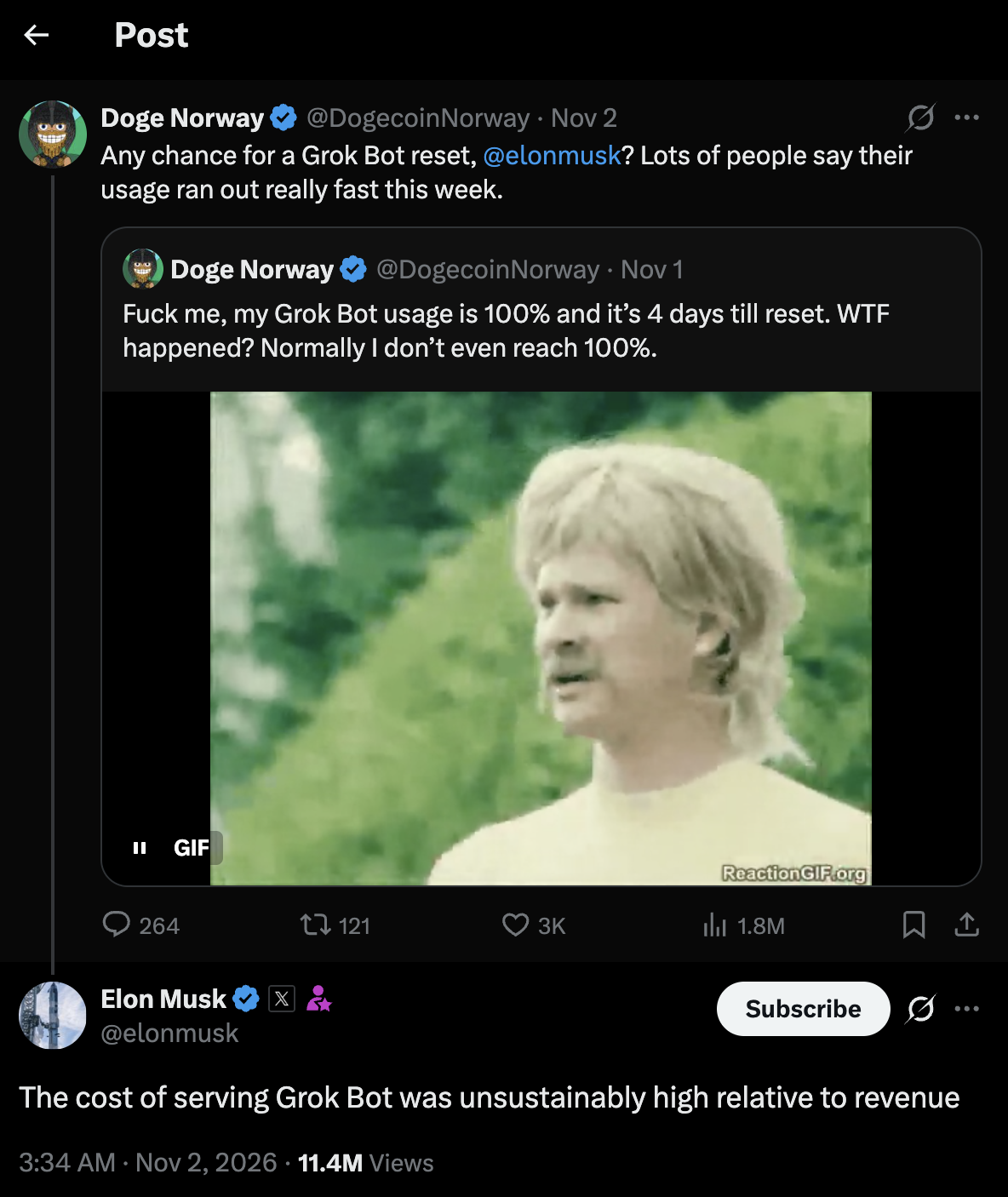
Many users also reported weekly usage limits filling earlier than before. Grok Bot is still a strong xAI teammate for some teams. The open question is what to run next when you need predictable load, self-host control, or a lower ops surprise bill.
OpenQuok does not change in this guide. OpenQuok is only the social scheduler. You connect channels once. Agents draft and queue rows. You approve on the calendar or kanban before anything goes live. This post compares agent hosts that can run openquok-core instead of Grok Bot. For always-on vendor hosts in one map, read Pick Your Always-On Agent. For self-host vs xAI cloud, read Grok Bot vs OpenClaw. For terminal vs teammate inside xAI, read Grok Bot vs Grok Build.
Browse all paths on the agent integrations directory.
When Grok Bot still fits
Stay on Grok Bot when you want many named Bots on one xAI cloud desktop. You message from desktop or iOS. You install skills with Plugins or / in chat. You do not want to run an API server or worker. X is often the home network. You accept vendor usage tiers on the xAI or Cursor account.
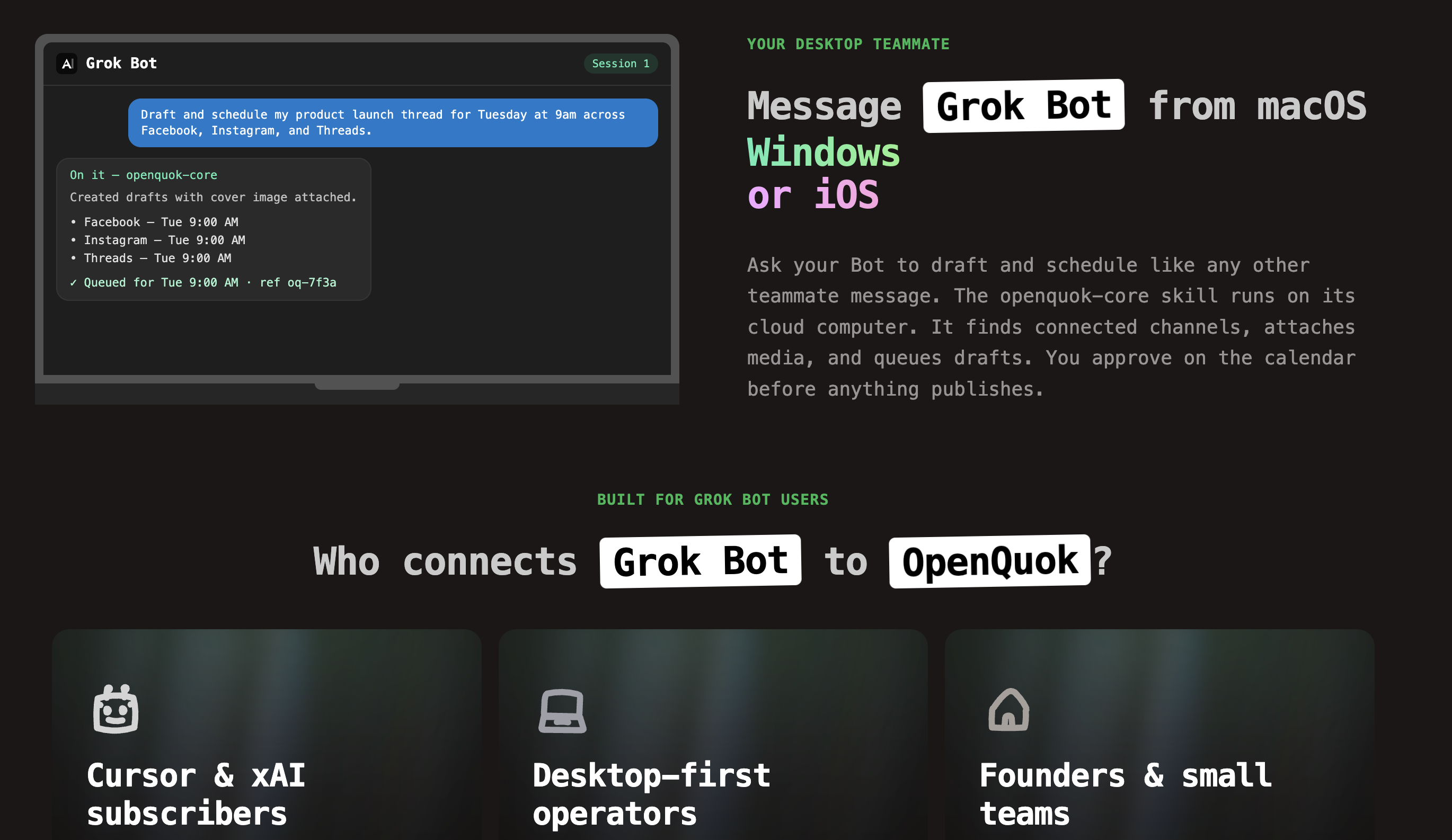
Start here: Grok Bot + OpenQuok and the Grok Bot scheduling walkthrough.
Four Grok Bot alternatives at a glance
Alternative | You run | Where you message | OpenQuok path | Best when |
|---|---|---|---|---|
Your server or VPS (Apache-2.0) | Web, desktop, mobile, Slack |
| You want an open-source Grok-style teammate you own | |
Gateway on your hardware | Telegram, WhatsApp, Slack, Discord |
| Messaging apps are home, not a vendor desktop app | |
Hermes gateway you operate | Telegram, Slack, Discord, web UI |
| You want a gateway plus a skills catalog you host | |
OpenAI cloud computer | ChatGPT, Slack, Microsoft Teams |
| You already standardize on OpenAI workplace chat | |
Anthropic virtual machine | iOS, Android, claude.ai |
| You want proactive Claude on mobile with vendor VM |
We list five rows because Claude Duet and Dots are common “move off xAI” paths that still use a vendor cloud computer. Rakazo and OpenClaw are the main self-host answers when Grok Bot limits or cost push you away from a managed xAI desktop.
1. Rakazo
Rakazo is an open-source platform for persistent AI teammates. Each bot gets an isolated sandbox computer with memory and routines. You connect your own model keys. You self-host the API and worker on your machine or VPS.
Where Rakazo fits OpenQuok
Install openquok-core on the bot sandbox—the same pattern as Grok Bot’s cloud skill install, but on hardware you control. Message the bot from web, desktop, mobile, or Slack. List integrations, draft per network, and save drafts or schedules in OpenQuok. Nothing publishes until you approve.
Setup: Rakazo agent setup guide. You can also assemble skill zip recipes in Skill Builder.
Where Rakazo is the clear winner over Grok Bot
The cost is lower
You want source you can audit and run on your own infra.
You need model choice instead of one vendor stack.
You want sandbox isolation per bot without paying per named Bot on a shared xAI desktop tier.
You plan for steady weekly social volume and do not want surprise usage resets on a teammate product.
Where Rakazo is honestly heavier
You operate Postgres, workers, and updates—not just install an app.
You do not have someone who can monitor uptime on a VPS.
You want a zero-setup iOS teammate today with no server checklist.
2. OpenClaw
OpenClaw is a self-hosted agent gateway built for chat apps you already use. You run the gateway. You message from Telegram, WhatsApp, Slack, or similar surfaces.
Where OpenClaw fits OpenQuok
Add openquok-core as a skill on the gateway host. Ask in chat to list channels and draft posts. OpenQuok still holds OAuth and approval. Read Grok Bot vs OpenClaw for a full fork.
Where OpenClaw wins
Your team lives in messaging apps, not a desktop teammate app.
You must keep tokens and gateway logs on your hardware.
Where OpenClaw is weaker than Rakazo for “Grok-like” bots
Rakazo centers many sandboxes and routines in one product UI. OpenClaw centers the gateway and channels you wire.
Pick OpenClaw when chat transport is the main constraint. Pick Rakazo when you want a full teammate platform you host.
3. Hermes Agent
Hermes Agent is another self-hosted gateway path with a Skills Hub. Teams that already run Hermes for ops chat often add OpenQuok skills there instead of moving to xAI cloud.
Compare gateways in Pick Your OpenQuok Harness when you mix vendors across MCP and hosts.
4. OpenAI Dots and Claude Duet (managed cloud)
When the goal is to leave xAI cost tiers—but not to self-host—two vendor always-on hosts are the usual moves.
Dots give each dot a managed OpenAI cloud computer. You message from ChatGPT, Slack, or Teams. Skills install like Grok Bot plugins, but billing and limits follow OpenAI plans.
Claude Duet runs proactive work on an Anthropic virtual machine. You message from mobile or claude.ai. Good when Claude is already the daily AI surface.
Neither is “free.” Both trade xAI usage for another vendor’s subscription and fair-use rules. They still pair cleanly with OpenQuok when you want human approval on every row.
What about Grok Build?
Grok Build is not a Grok Bot replacement. It is a terminal MCP client for coding work. Use it when the shell is home. Keep Grok Bot—or Rakazo, OpenClaw, or a dot—when you want a persistent teammate that runs weekly social routines while you are away.
Cost and usage: a simple decision lens
Public comments about Grok Bot cost do not give your team a price sheet. They signal that heavy always-on cloud load may stay capped. Use this lens:
If your pain is | Lean toward |
|---|---|
Weekly Grok Bot quota ends too early | Lower routine count on one Bot, or move routines to self-host (Rakazo or OpenClaw) |
You must own data and sandboxes | |
You refuse to run servers | Dots or Claude Duet |
X is still the flagship network | Any host above—connect X in OpenQuok and use integration UUIDs from |
You only need one-off terminal scheduling | Grok Build MCP, not a new always-on host |
Social scheduling with you in control (all hosts)
Every path shares one rule. Agents may call posts:create with draft or schedule. Use explicit draft language in prompts when you want a review step. Approve on the OpenQuok calendar or kanban. OpenQuok pricing is separate from any agent host bill—see Pricing.
How to pick
If you are | Pick |
|---|---|
A builder who wants open-source Grok-style teammates on your VPS | Rakazo + Rakazo landing |
A team that schedules from Telegram or WhatsApp | OpenClaw or Hermes |
An OpenAI shop that will not self-host | Dots |
A Claude shop that wants proactive mobile help | Claude Duet |
Happy with Grok Bot limits after you trim routines | Stay on Grok Bot—see Grok Bot + OpenQuok |
Bottom line
Grok Bot is still the fastest path when xAI’s cloud desktop matches how you work. When usage or cost push you to change, you do not need to give up OpenQuok. Rakazo is the closest open-source answer to a persistent multi-bot teammate you operate yourself. OpenClaw and Hermes fit messaging-first self-host. Dots and Claude Duet fit managed cloud without xAI. Wire one host, connect channels, run one real draft, and approve it before you migrate every routine.
Next steps
Name whether you need self-host, messaging, or vendor-managed cloud.
Open the matching agent landing and follow its setup guide.
Connect social accounts in OpenQuok. Create an
opo_…token under Developers → Access.Ask the agent to list integrations, then draft one post with a real integration UUID.
Approve that row on the calendar before you move more Grok Bot routines.
More scenario posts live under When to Choose X vs Y Scenarios and Buyer Decision Frameworks.