You want a social scheduler that agents can actually use. OpenQuok is built for that: agents draft and queue posts, and you approve on the calendar or kanban.
The open question is which agent host should run openquok-core. Grok Bot gives you named teammates on a shared cloud computer. OpenClaw runs on hardware you control and meets you in Telegram, WhatsApp, or Slack. This guide compares both for OpenQuok social scheduling—not for generic chatbots.
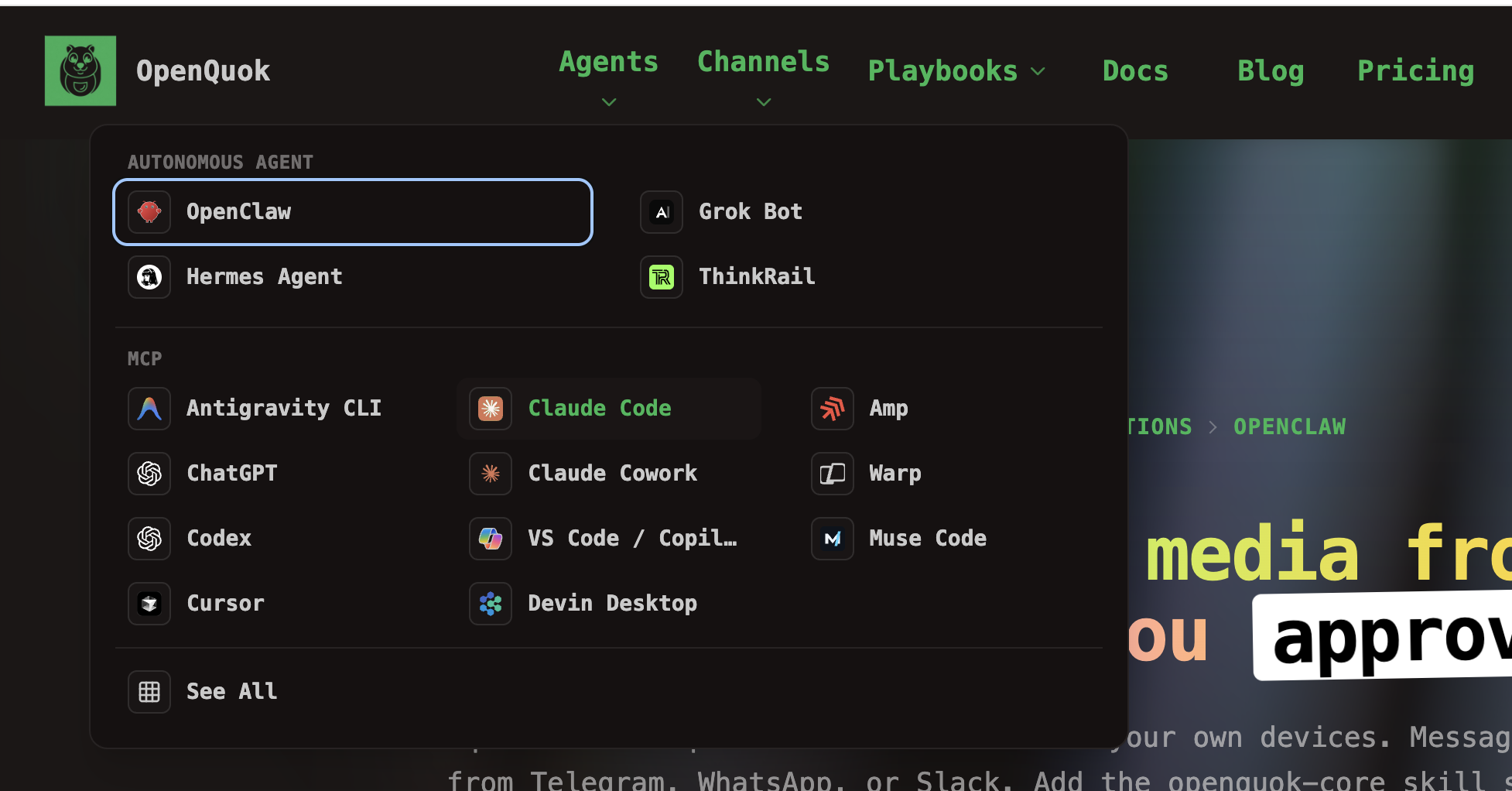
This post is scenario-based buyer guidance. It does not crown a single winner. It helps you match constraints—privacy, uptime, chat surface, and how many parallel agents you want—to the right host.
Grok Bot vs OpenClaw for OpenQuok social scheduling
When you compare hosts, use two questions:
Does it finish work? Can it use a browser, terminal, and files without you babysitting every click?
How many agents do you manage? One general assistant, or several narrow Bots with separate instructions?
Single-agent products with a cloud computer cluster on one capable brain. Products that let you spin up named agents—a marketplace helper, a weekly report Bot, a research teammate—cluster on many agents you manage.
Grok Bot and OpenClaw both aim to finish work. Grok Bot leans harder into many named Bots on one shared machine. OpenClaw leans into one assistant you host and message from chat apps.
Grok Bot at a glance
Grok Bot is a desktop or iOS teammate. Each Bot you create gets persistence on a shared cloud environment: browser, filesystem, and shell. You message it from the Grok Bot app. You add skills through Plugins or / in chat.
That shape fits repeatable workstreams: the same weekly export, the same inbox playbook, the same social batch. You can run multiple Bots with different system prompts without provisioning a new server each time.
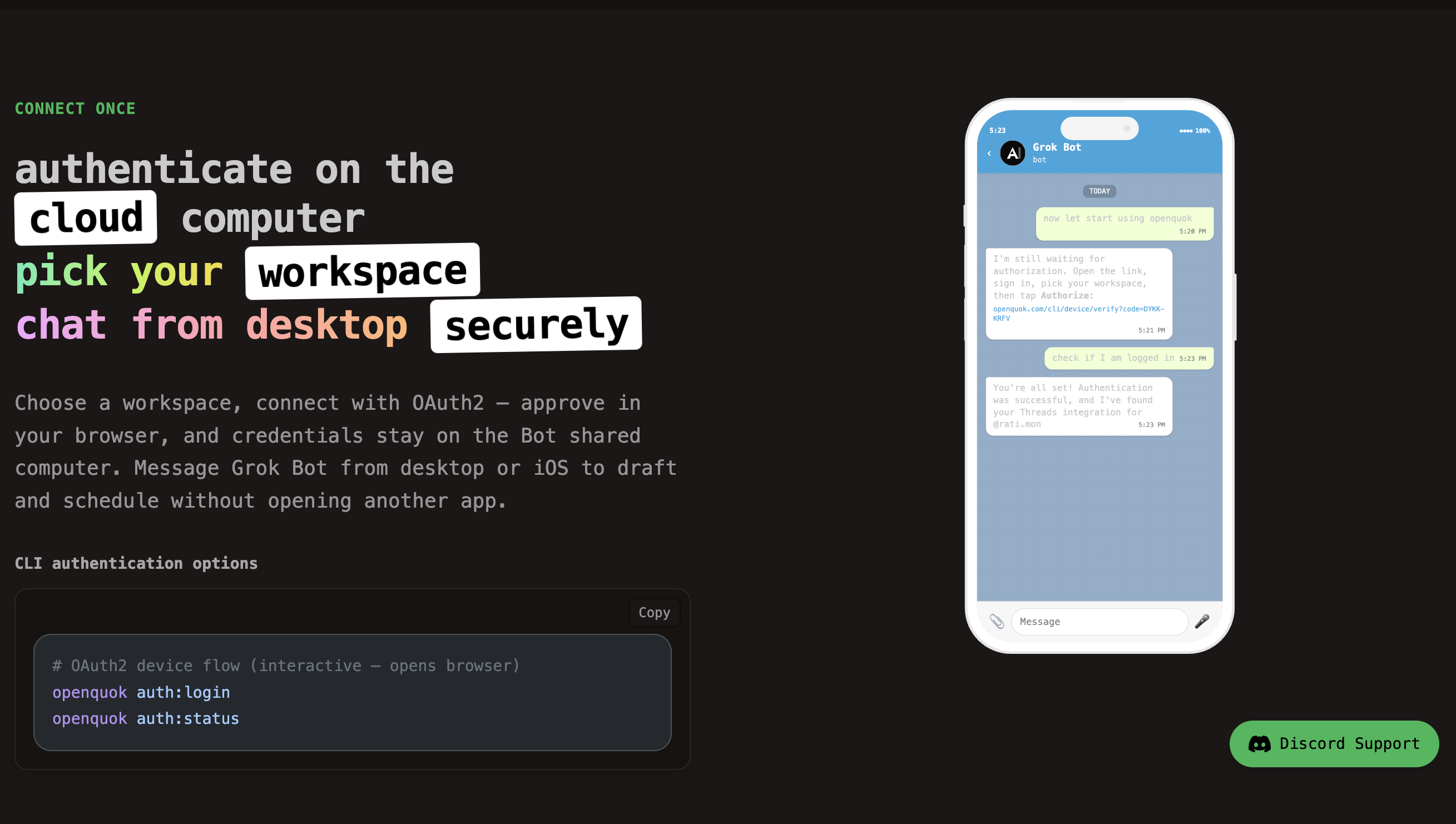
For social scheduling, Grok Bot installs openquok-core on that cloud computer. Credentials stay on the Bot environment. You chat “draft three LinkedIn posts from this doc,” then review drafts in OpenQuok.
Deep links: Grok Bot + OpenQuok, setup guide, and the walkthrough schedule social posts from Grok Bot.
OpenClaw at a glance
OpenClaw is a personal AI assistant you run yourself. You choose the model provider. You connect messaging channels. Skills—including openquok-core—run on the host where OpenClaw lives.
That shape fits privacy and control: data stays on your Mac, your homelab, or your container. It also fits messaging-first habits: you schedule from Telegram on the train, not from a desktop teammate app.
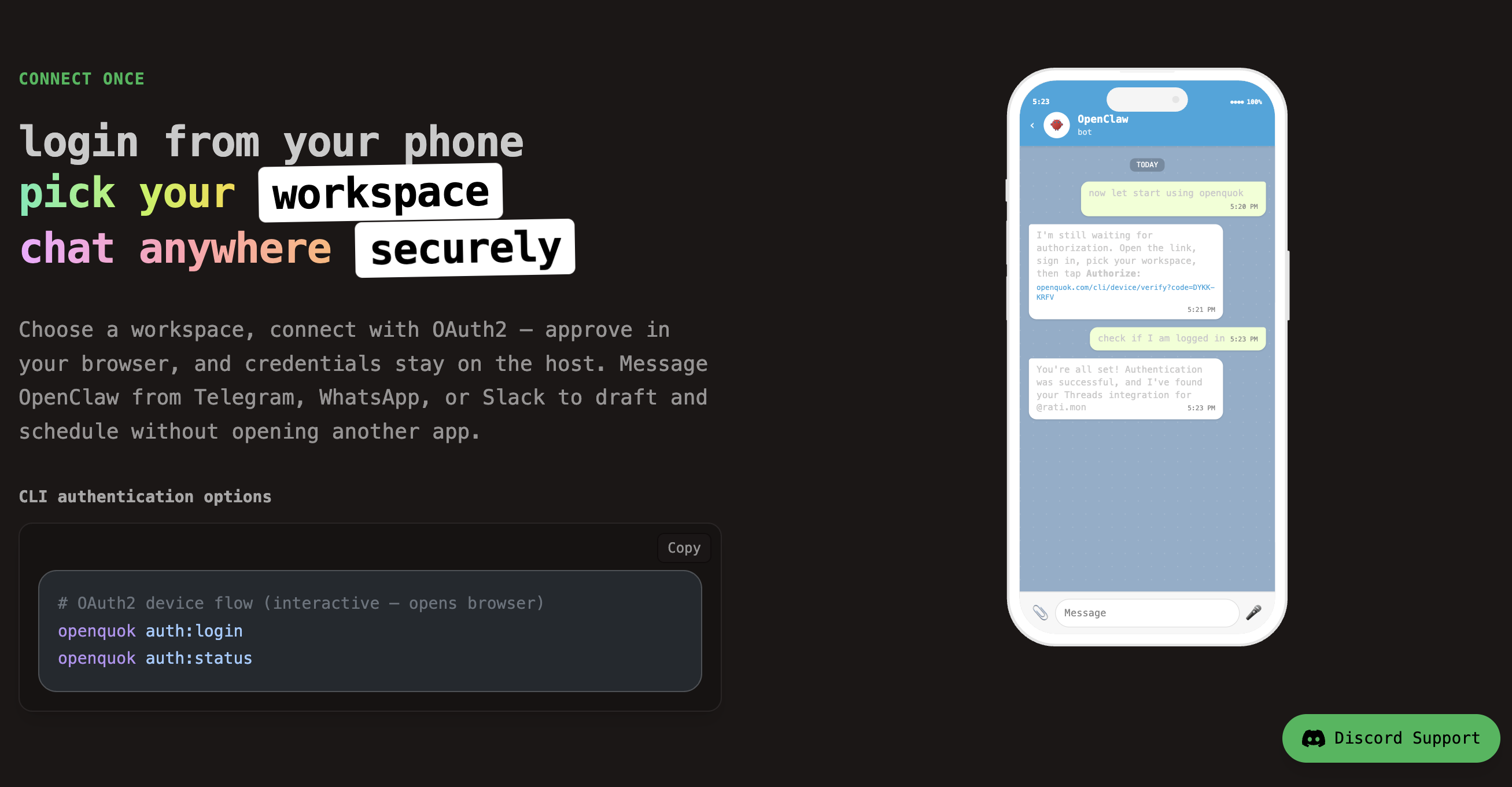
OpenClaw does not ship a vendor cloud computer. You bring the machine and keep it online. Uptime is your ops problem—but so is data residency.
Start here: OpenClaw + OpenQuok and OpenClaw setup guide. To assemble or extend the skill zip, use Skill Builder.
Scenario: you want several specialized agents on one login surface
Choose Grok Bot.
Examples from prosumer workflows:
A marketplace Bot that answers buyers and negotiates pickup times while you ignore the thread.
A churn Bot that downloads a subscriber list each week and flags who deserves a personal note.
A research Bot that reads your content stats and turns ideas into a structured brief.
Each Bot is a separate persona on shared infrastructure. You pay attention to management: who owns which stream, what data each Bot may touch, and when to pause a routine.
For social, mirror that pattern: one Bot for drafting from a doc, another for analytics pulls—both calling OpenQuok with the same approval rules.
Scenario: you must keep credentials on infrastructure you control
Choose OpenClaw.
OpenQuok OAuth and CLI tokens live where OpenClaw runs. If policy forbids a third-party cloud desktop, self-hosted OpenClaw on Docker or bare metal is the straightforward path. See Docker Compose self-host for the platform half; the agent half stays on your host.
Grok Bot’s advantage is turn-key cloud persistence. OpenClaw’s advantage is your persistence boundary.
Scenario: you live in Telegram, WhatsApp, or Slack—not a desktop teammate app
Choose OpenClaw.
OpenClaw’s default workflow is mobile chat. Grok Bot is desktop- and iOS-first for teammate messaging. If “text the assistant like a friend” is the habit you will actually keep, OpenClaw matches the interface.
Both still end in the same OpenQuok approval flow. The difference is where you type the request, not whether posts auto-publish.
Scenario: you want the fastest path to Bot + browser + skill without running a server
Choose Grok Bot.
You download the app, create a Bot, install openquok-core, and authenticate once on the cloud computer. You do not provision TLS, backups, or channel bridges yourself.
OpenClaw can be fast too—but only if you already run a stable host. First-time operators often underestimate keeping chat bridges healthy.
Scenario: you need any LLM vendor, not one stack
Choose OpenClaw.
OpenClaw is model-agnostic by design: Claude, GPT, Gemini, local models, and others. Grok Bot is tied to the Grok product surface and eligible xAI or Cursor plans.
If model choice is a hard requirement, OpenClaw wins. If you already pay for Grok Bot eligibility and want zero model plumbing, Grok Bot wins.
Scenario: social scheduling with human approval (both hosts)
Either host works. Pick based on the sections above.
Shared rules with OpenQuok:
Install
openquok-core(CLI-first; MCP is optional for other clients).Sign up, then connect channels in your workspace.
Let the agent create drafts or scheduled rows; you approve before publish.
Use supported channels (Facebook, Instagram, Threads, YouTube, TikTok, LinkedIn, X).
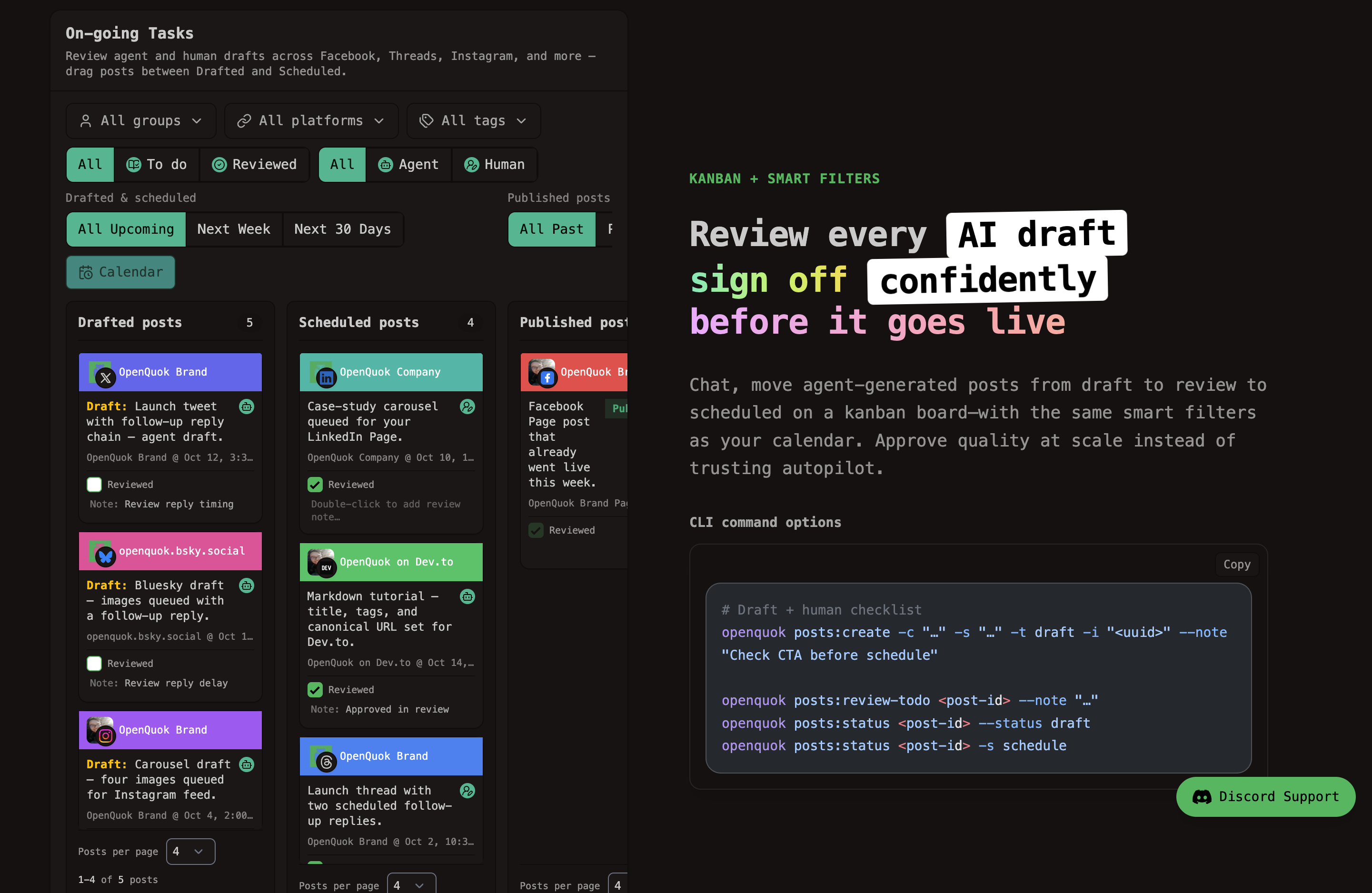
Compare agent-native scheduling to classic SaaS on the agents hub. For editor sessions instead of chat, see Cursor MCP.
Agent social scheduler checklist (OpenQuok)
Whichever host you pick, the OpenQuok agents hub documents the same approval-first social scheduler flow.
Install
openquok-coreon the host (see Skill Builder if you customize the skill).Authenticate the CLI once on that machine—never paste workspace tokens into public chat.
Connect social accounts in OpenQuok; agents target integrations by UUID.
Review every draft on the calendar or kanban before it goes live.
Cost and attention: the hidden variable
Sticker price for Grok Bot access and OpenClaw hosting often lands in the same prosumer band. The real cost is tokens per finished task. A Bot that runs a long browser session burns far more context than a single chat reply.
Grok Bot teams should budget for parallel long-running Bots. OpenClaw operators should budget for model API spend and uptime monitoring. OpenQuok billing is separate—see Pricing for workspace limits.
Can you use both?
Yes. Many operators use Grok Bot for always-on cloud routines and OpenClaw for personal chat and self-hosted experiments. One OpenQuok workspace can serve multiple agents when you isolate credentials per host.
You can also add Hermes or ThinkRail when those surfaces fit better. The scheduling skill is the same; the harness changes.
Quick decision table
Your priorityLean towardMany named agents, one cloud desktopGrok BotSelf-hosted data and custom modelsOpenClawTelegram / WhatsApp / Slack as the UIOpenClawNo server ops; persistent cloud browserGrok BotRepeatable weekly jobs delegated as a teamGrok BotOpenQuok drafts + your approval either wayBoth
Next steps
Pick the host that matches your privacy and chat constraints.
Connect channels and install
openquok-corevia Skill Builder if you customize the skill.Send your first scheduling request from chat; approve the draft in OpenQuok.
Still unsure? Browse compare pages for scheduler SaaS, or open the agents directory and shortlist two hosts before you commit.