OpenQuok now supports Dev.to as another writing channel : connect a personal DEV Community API key, schedule technical articles, set tags and series before anything goes live, and read page views, reactions, and comments next to your other networks.
This is for people who already schedule social from OpenQuok — or who want an agent to draft while a human still approves on the kanban board.
What shipped
Dev.to connect — paste an API key from DEV Settings → Extensions. There is no operator OAuth app.
Posts, tags, and series — title (min 2 characters), up to four tags, optional cover (1000×420), organization, canonical URL, and a free-text series name. Dev.to creates the series if it does not exist yet.
Analytics — account-level and per-article page views, reactions, and comments over 7, 30, or 90 days, same analytics surface as Facebook, YouTube, and X.
Token encryption at rest — channel access tokens (including Dev.to keys) are stored as AES-GCM ciphertext when the server encryption key is set. List APIs still never return the secret.
Follow-up comments on Dev.to articles are still out of scope.
Schedule tags and series from the dashboard
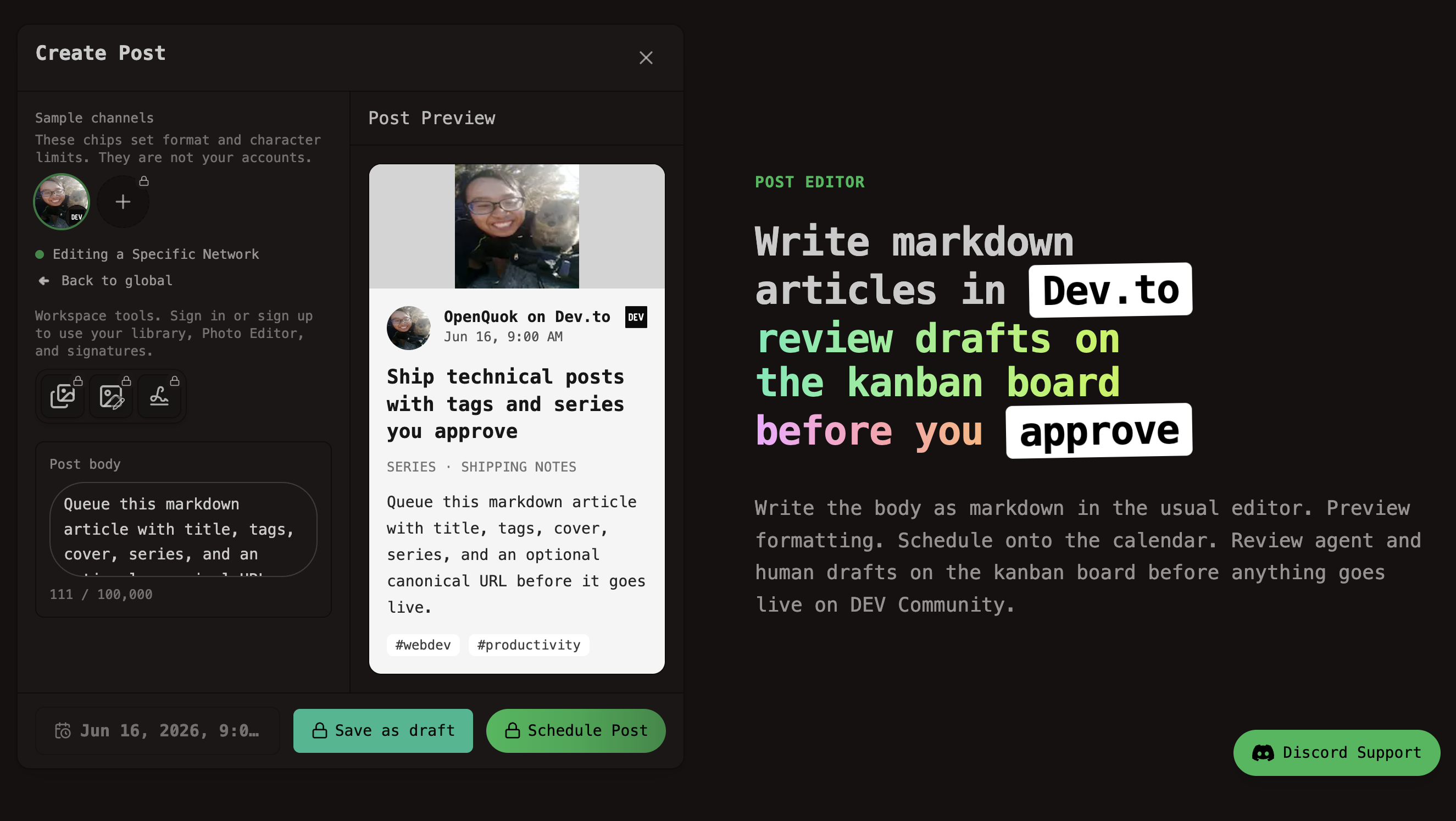
Connect Dev.to once, then compose like any other channel. The body stays markdown in the normal editor. Title, tags, series, cover, organization, and canonical URL live in Dev.to settings.
Open a workspace → Add channel → Dev.to → paste the API key.
Write the article, set tags (max four) and an optional series name.
Move the card to Scheduled when you are ready. Nothing publishes until you approve it.
Setup detail: Dev.to social integration.
CLI, API, and agents
After the channel is connected, agents and scripts use the same workspace token. A series is just another settings field:
openquok posts:create \
  -c "$(cat article.md)" \
  -s "2026-08-22T09:00:00Z" \
  --settings '{"title":"Shipping notes — week 12","series":"Shipping notes","tags":[{"value":"webdev","label":"webdev"}]}' \
  -i "$DEVTO_ID"
More recipes: CLI examples — Dev.to. Pull insights with analytics:platform and analytics:post.
OpenClaw, Hermes, and Grok Bot can draft the markdown; you still approve. Channel landing: schedule Dev.to from OpenClaw. Pack CLI recipes in Skill Builder if you distribute openquok-core as a skill.
Analytics you can actually use
Workspace analytics now include Dev.to when the channel is connected. Use it to see which tutorials and series entries get page views and reactions, then schedule the next part of the series from the same calendar.
How we store the Dev.to API key
The key is pasted once in the dashboard (not in browser storage). OpenQuok needs a reversible copy to call DEV on your behalf. With INTEGRATIONS_TOKEN_ENCRYPTION_KEY (or SECURITY_SECRET) set, the row is ciphertext at rest. If a key leaks, rotate it in DEV Settings → Extensions and reconnect. Details: How OpenQuok stores the API key.
Try it
Start a trial, connect Dev.to, and schedule a tagged article into a series from the Dev.to scheduler page — or from the public API and CLI once the channel exists in the workspace.