This blog is for Creators, founders, and community builders
You publish across social channels and niche platforms (Skool, Reddit, launch directories). You want one workspace calendar plus a browser extension on Chrome, Edge, or Firefox—side panel or sidebar scheduling, Skool session connect, Reddit handoff at due time, and directory Fill—not a clip-only popup that ignores your real channels.
What is the OpenQuok browser extension social media scheduler?
The OpenQuok browser extension is a social media scheduler and directory launch helper for Google Chrome, Microsoft Edge, and Mozilla Firefox. Chromium browsers use the side panel; Firefox uses the sidebar—not only a toolbar popup—so you can draft, schedule, and publish to channels you already connected in your OpenQuok workspace.
It is also the browser session bridge OpenQuok uses when the server cannot finish alone: Skool cookie connect, Reddit member handoff at due time, and directory launch autofill for PeerPush, Uneed, TinyLaunch, and Open Launch. You keep one calendar, one approval model, and one product profile store.
Start here: Browser extension landing. Install by browser: Chrome extension, Edge extension, Firefox extension. Self-host on the web app: Extension (Chrome), Extension (Edge), Extension (Firefox).
Official install links
Browser | Listing | Notes |
|---|---|---|
Google Chrome | Side panel UI; extension ID | |
Microsoft Edge | Same Chromium MV3 package as Chrome; Edge ID | |
Mozilla Firefox | Sidebar UI; separate |
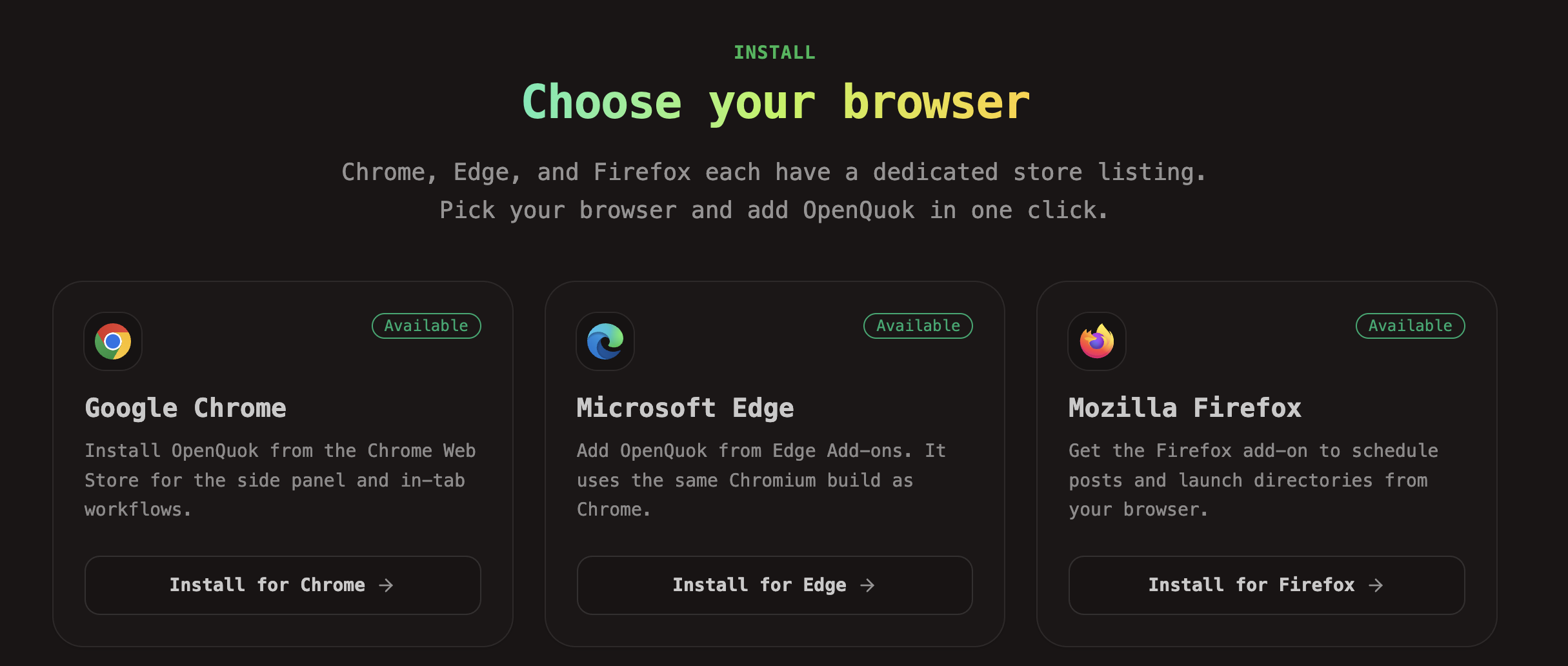
Install and self-host documentation
Browser | Install guide (store + first-run) | Self-host (build + env) |
|---|---|---|
Google Chrome | ||
Microsoft Edge | ||
Mozilla Firefox |
Why Skool and Reddit use a browser extension—not OAuth
For a long time, community builders asked for one thing: schedule Skool posts from the same calendar they use for Threads, LinkedIn, or TikTok. The blocker is not your scheduler. The blocker is the platform.
Skool does not give schedulers a standard OAuth posting connect the way Meta or Google do. There is no reliable “register a developer app, paste client ID and secret, publish every post from the server” path for every team. OpenQuok still schedules Skool from the workspace—but connect needs your live session in the browser. The extension reads session cookies while you stay signed in on skool.com. OpenQuok stores the session encrypted and publishes scheduled posts from the server at due time. That is browser extension connect, not OAuth. Rules: Connect rules · Setup: Skool integration · Families: Social integration overview.
Reddit is a different extension story. On default OpenQuok (including self-host), we do not register a Reddit OAuth app for workspace posting. You add Reddit as a manual channel in Add Channel. OpenQuok drafts and schedules like other networks, but at due time the row becomes awaiting member. You finish on reddit.com. The same extension helps with Copy, Open submit, and Autofill. It does not post to Reddit from the backend, and it does not read Reddit cookies for API access. See Reddit setup and AI agents for Reddit: promote without getting banned.
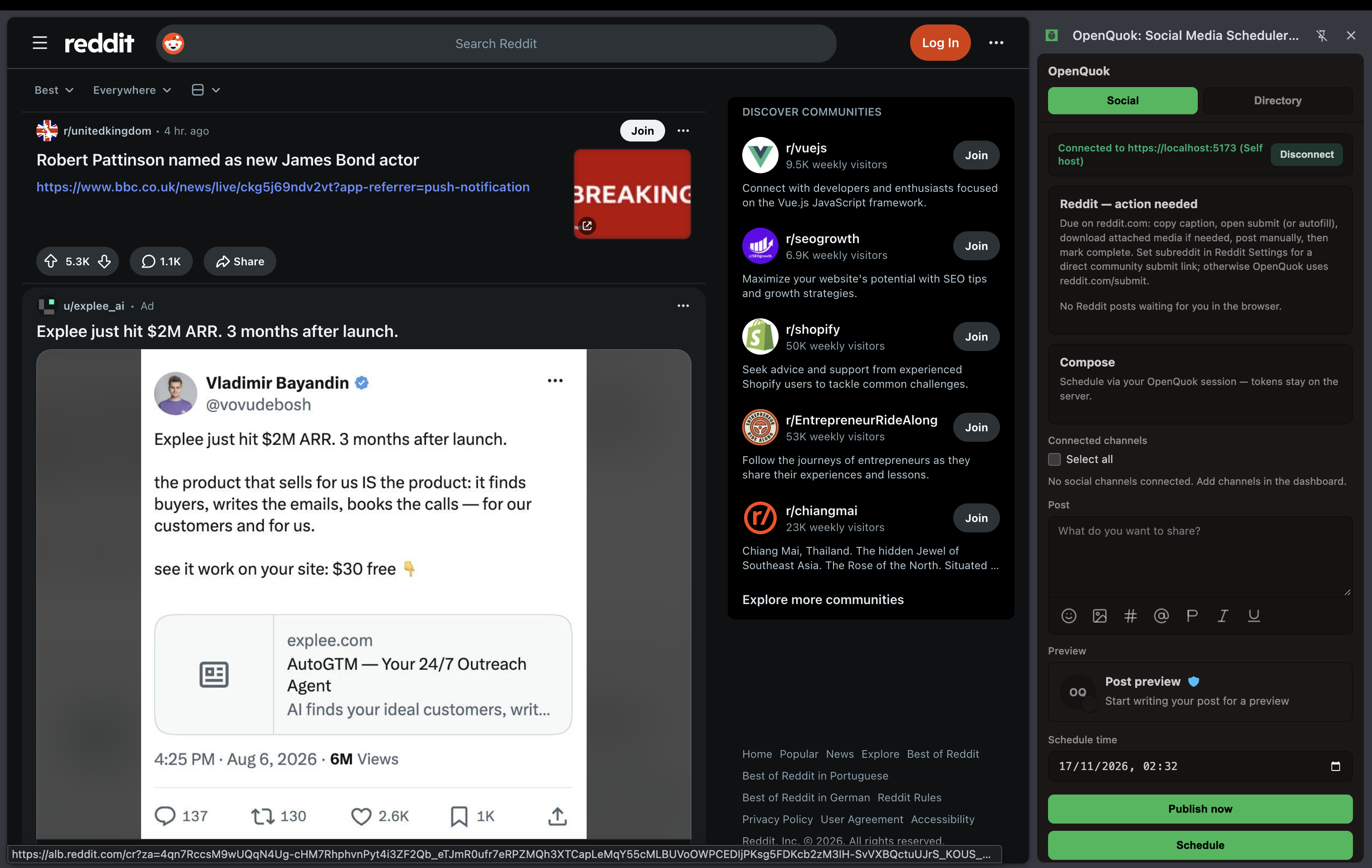
So one extension serves two honest needs:
Skool — close the “no public OAuth” gap so server-side schedule can run after cookie connect.
Reddit — close the “no full auto-post from the server” gap so you keep human submit on reddit.com with less copy-paste friction.
Most other networks still use OAuth or your own API key (for example Bluesky or Dev.to). Only then does the side panel or sidebar act as a fast composer on channels you already connected in the dashboard. The extension does not replace Add Channel for OAuth. Walkthrough: Connect a channel.
Community owners kept asking for Skool on the same calendar as everything else. We did not want a fake “connected” badge with no real publish path. We ship one extension family: connect Skool with your real session, schedule in OpenQuok, and let the server publish when the post is due—with images and follow-up comments where Skool allows them.
Network | Connect type | What the extension does | Operator OAuth keys on self-host? |
|---|---|---|---|
Threads, Instagram, LinkedIn, YouTube, TikTok, X, Facebook | OAuth | Optional: side panel / sidebar schedule + context menu | Yes (for OAuth networks) |
Bluesky, Dev.to | Credentials in OpenQuok | Optional: side panel / sidebar schedule | No |
Skool | Browser extension | Cookie connect + session refresh; server publishes at schedule time | No Skool OAuth app |
Manual channel (+ optional extension handoff) | Copy / Open submit / Autofill at due time; you click Post | No Reddit OAuth for posting (default) | |
PeerPush, Uneed, TinyLaunch, Open Launch | Directory launch + extension | Autofill listing forms from My Products; you pay and submit on each directory site | No directory OAuth |
Cookie connect is not official OAuth. You accept platform risk if Skool changes access. Use a dedicated browser profile on shared machines. Read Skool’s terms before you connect.
How to schedule social media from your browser
How to schedule social media with OpenQuok in five steps:
Install from the Chrome Web Store, Microsoft Edge Add-ons, Firefox Add-ons, or an unpacked self-host build. Follow Chrome, Edge, or Firefox install docs.
Pin the icon and open Social in the side panel (Chromium) or sidebar (Firefox).
Sign in to OpenQuok (cloud or self-host) and keep a dashboard tab in the same window.
Connect each network with Add Channel in the dashboard.
Write a post, attach media if needed, and choose Publish now, Schedule, or Draft.
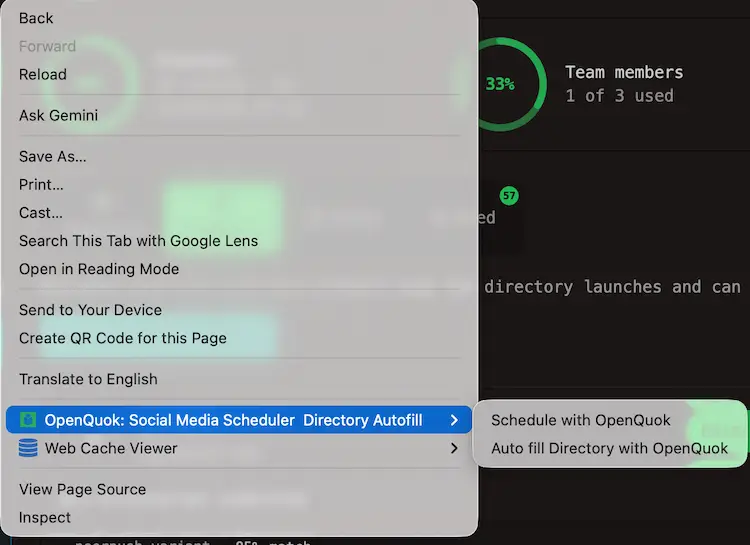
You can also right-click selected text, an image, or the page background and choose Schedule with OpenQuok. OpenQuok opens Social with the draft body ready to edit.
For OAuth networks you already connected, behavior matches the dashboard composer: same channel chips, groups, and previews. Posts still run through your signed-in API—they are not a separate shadow account inside the extension.
Who needs this extension
You are | Why install |
|---|---|
Multi-channel creator or SaaS founder | Schedule from research tabs without tab-switch fatigue; capture quotes with the context menu. |
Skool community owner | Skool has no native feed scheduler—cookie connect plus workspace calendar closes the gap. |
Reddit marketer | Plan in OpenQuok; publish on reddit.com with Copy, Open submit, or Autofill when the row is due. |
Indie hacker launching on directories | Autofill listing forms from My Products; you click submit on the directory site. |
Self-host operator | Build per Chrome, Edge, or Firefox guides; wire |
Connect rules by network: Connect rules.
Side panel vs typical “clip and share” extensions
Search results for chrome extension social media scheduler and browser extension social media scheduler often show tools that capture a link or paragraph and open a small popup. That flow is fast for sharing. It is weaker when you run a multi-channel workspace with Skool sessions, Reddit rules, and directory profiles.
Topic | Clip-to-share pattern | OpenQuok extension |
|---|---|---|
Composer UI | Popup over the page | Chromium side panel or Firefox sidebar (Social + Directory) |
Channels | Accounts connected inside that vendor | Same integrations and groups as your OpenQuok dashboard |
Skool post scheduler need | Often missing or a separate Skool-only product | Cookie connect + encrypted session + scheduled server publish |
Sometimes claims full auto-post | Manual channel: awaiting member; you post on reddit.com | |
Directory submission | Rare | Fill from product profile on PeerPush, Uneed, TinyLaunch, Open Launch |
AI in your stack | Varies | Pair with Humanizer and dashboard AI generation |
Social tab: schedule without leaving your tab
On the Social tab you sign in, see channel avatars, attach up to 10 media files per post, preview, and send to Publish now, Schedule, or Draft. Client checks block oversized images and videos before upload; very large clips should use Open full composer on the dashboard.
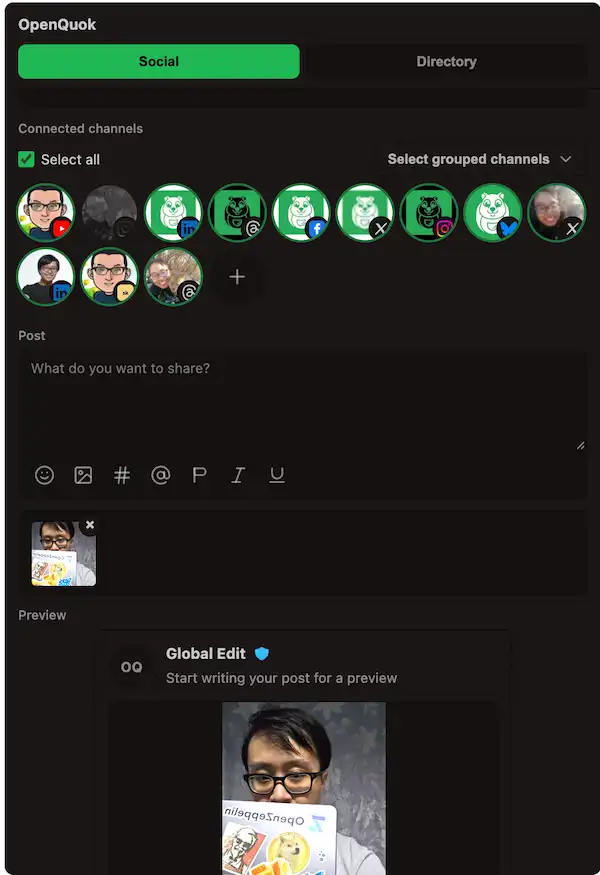
The extension uploads media through your authenticated dashboard routes, then creates the post row. That keeps permissions and audit trails in the workspace—not on an anonymous extension backend.
Overview of scheduling as a product: Social media management.
Context menu drafts (research → calendar)
Use the context menu when AI or reading produces a line you want on your calendar later:
Selected text becomes the post body.
Page background becomes title plus URL.
Image uploads when possible; otherwise the image URL lands in the body with a warning.
This pairs well with an AI drafting workflow: generate in ChatGPT or another tool, polish the paragraph in Humanizer, paste into the side panel or sidebar, then schedule. Read How OpenQuok Humanizer rewrites a draft in the browser and AI labels, detectors, and bans when disclosure and voice are different problems.
Skool post scheduler: extension connect in practice
Can you schedule Skool community posts inside Skool only? Skool’s public help center covers events, pins, and live calls—not a native “schedule this feed post for Tuesday” feature. Creators use schedulers that rely on a live browser session when OAuth is not available.
OpenQuok’s Skool flow:
Install the extension (Chrome, Edge, or Firefox) and stay signed in on skool.com in the same browser profile.
In the dashboard, choose Add Channel → Skool and approve cookie access when prompted.
OpenQuok validates the session, stores it encrypted, and can register refresh so cookies update about every 24 hours.
Schedule Skool posts in the composer like other channels—OpenQuok publishes from the server at the due time, including images where supported.
Optional: add scheduled follow-up comments on the same Skool post when your group allows them.
Important: This is cookie-based connect, not Skool OAuth. Anyone with access to your Skool session can post as you. Sign out on shared devices and read Skool’s terms before you connect.
Docs: Skool integration · Channel page: Skool on OpenQuok.
Reddit scheduler: plan in OpenQuok, publish on reddit.com
Does OpenQuok post to Reddit from the server? No. Reddit is a manual channel. OpenQuok never stores Reddit login on the server. You add Reddit from Add Channel, draft markdown in the workspace, and schedule like other networks.
When the post is due, status becomes awaiting member. The extension can:
Copy caption and optional title.
Open submit to the right community or profile URL when Settings define
r/nameoru/name.Autofill title and body on the Reddit submit page when the UI still matches what OpenQuok expects.
Autofill does not click Post. You review, submit, then Mark posted. If Reddit redesigns submit, fall back to Copy and paste. That manual step is intentional if you want to avoid bot-like behavior—see promote on Reddit without getting banned.
Body limit is 10,000 characters in the markdown editor. Media on the row supports your handoff workflow; the server does not upload attachments to Reddit’s API at publish time.
Guides: Reddit setup · CLI examples · Reddit channel · Media rules.
Directory submission and launch autofill
Directory launch is not social scheduling on the calendar. You build a product profile once, then launch to catalog sites.
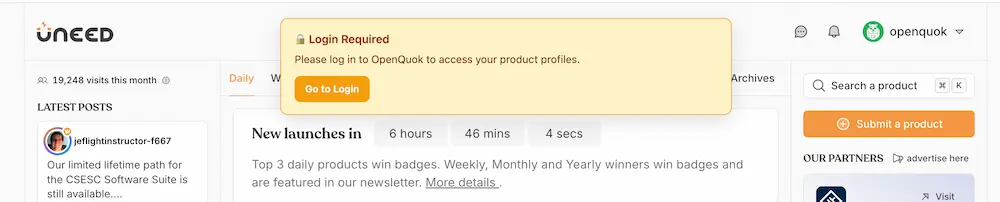
Install the same extension used for Skool and Reddit (Chrome · Edge · Firefox).
On My Products, complete readiness fields on the product card.
Click Launch to directory and pick PeerPush, Uneed, TinyLaunch (Premium or Standard), Open Launch, or another wired destination and variant.
OpenQuok opens the site and hands off to the extension. Use Fill in the side panel or sidebar Directory tab or on the page.
Review every field. Pay or submit on the directory yourself. OpenQuok does not bypass checkout.
Record the live listing URL in OpenQuok when the flow prompts you.
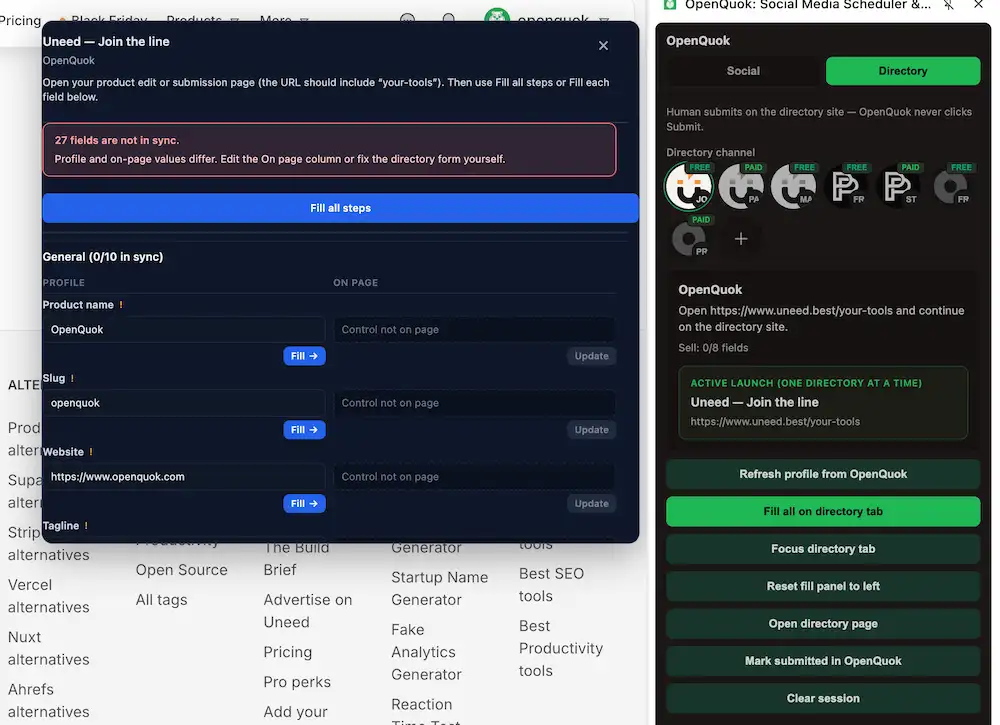
PeerPush, Uneed, TinyLaunch, and Open Launch use the extension for autofill only. OpenQuok does not post listings from the backend.
Learn more: Directory submission · Track submissions · Build backlinks · Directory submission tool · Directory integration overview. Workspace plans for directory launch: Directory pricing.
One extension, three connect families
Family | Examples | Extension role |
|---|---|---|
OAuth social | Threads, Instagram, LinkedIn, YouTube, TikTok, X, Facebook | Optional: side panel / sidebar schedule + context menu; connect happens in dashboard |
Credentials | Bluesky, Dev.to | Same optional side panel / sidebar; API key in Add Channel |
Browser extension | Skool, Reddit handoff, directory launch | Required for session read, autofill, or Fill |
Channel connect walkthrough: Connect a channel.
AI in the browser: Humanizer, Gemini in Chrome, WebMCP, and agents
Teams ask whether built-in browser AI replaces a scheduler extension. It does not. The layers stack.
OpenQuok AI and Humanizer (copy quality + calendar)
OpenQuok’s signed-in composer includes AI drafting options. The free Humanizer rewrites stiff AI copy in the browser before you schedule—no account required for the tool itself. That addresses voice, not channel permissions.
Keep Humanizer in a tab while you work: rewrites stay on-device, then copy the result into the Social side panel, sidebar, or dashboard composer. See How OpenQuok Humanizer rewrites a draft in the browser and the install guides (Chrome, Edge, Firefox).
After Humanizer, pick channels in the extension and move the paragraph into a dated post on Skool, Threads, or other connected channels—or use Schedule with OpenQuok from a fresh selection.
Gemini in Chrome (built-in assistant)
Google ships Gemini in Chrome in the sidebar for summaries, comparisons, and Connected Apps (Gmail, Calendar, Maps, YouTube, and more). Where your plan and region allow, auto browse can run multi-step web tasks with confirmations on sensitive steps.
Use Gemini to read the web faster. Use OpenQuok to hold which channels fire at which times—and who in the workspace approved the post.
Official references: Chrome AI innovations, Auto browse help, Google’s Gemini in Chrome update.
WebMCP (structured page tools for agents)
WebMCP is a proposed standard: web pages register tools with schemas so agents invoke checkout or filter_results instead of guessing button labels. Chrome documents developer trials and local testing flags; some desktop agents already call similar APIs under names like “site tools.”
WebMCP improves reliability on sites that adopt it. Skool sessions, Reddit submit forms, and paid directory flows will still need human-in-the-loop handoffs for a long time—exactly where this extension sits.
Spec: WebMCP on Chrome for Developers · Proposal: WebMCP API proposal.
Agents, MCP, and Chrome DevTools MCP (builders vs operators)
OpenQuok MCP and Skill Builder let agents list integrations and schedule posts through your API when channels are connected. That is server-shaped automation.
Separately, developers experiment with Chrome DevTools MCP servers so coding agents inspect console, network, and DOM state. That stack is for building and debugging automations—not for replacing a social scheduler extension. When built-in Chrome AI changes, verify behavior against Gemini in Chrome overview and Chrome AI innovations before you change production workflows.
DevTools MCP is for building and debugging. The OpenQuok extension is for operators scheduling and handing off—different jobs.
Example day: founder with Skool, Reddit, and a directory launch
Morning research in the browser. Optionally summarize long pages with Gemini in Chrome.
Draft announcement copy with an AI tool. Open Humanizer in a tab, rewrite, then paste into the side panel or sidebar.
Right-click a customer quote → Schedule with OpenQuok. Schedule Skool and LinkedIn from the extension.
Add a Reddit row with subreddit in Settings. Schedule for Tuesday 10:00.
Afternoon: Launch to directory on TinyLaunch or Uneed (see TinyLaunch on Channels). Fill, edit tagline, pay on site if Premium, save listing URL.
Tuesday: Reddit notification → Open submit → Autofill → you click Post → Mark posted.
No single AI product did every step. Browser AI assisted reading. Humanizer shaped tone. OpenQuok owned the calendar. The extension closed browser-native gaps.
Self-host: extension ID and trust boundary
Self-host teams build from the monorepo and wire extension IDs on the web app so the dashboard can reach the install your users actually use.
Google Chrome —
extension/dist/, side panel,externally_connectable. Install: Chrome extension. Env: Extension (Chrome).Microsoft Edge — same Chromium zip as Chrome; Edge listing on Edge Add-ons. Install: Edge extension. Add
edge:jgcefbibloanooalkjkgafakgkpbcdmn(or your CRX ID) toVITE_OPENQUOK_BROWSER_EXTENSION_IDS. Env: Extension (Edge).Firefox —
extension/dist-firefox/, sidebar UI, pagepostMessagebridge. Install: Firefox extension. Env: Extension (Firefox).
Example multi-store env: VITE_OPENQUOK_BROWSER_EXTENSION_IDS=chromium:diloknijkhhggpfhenpoccnjbcjdoedn,edge:jgcefbibloanooalkjkgafakgkpbcdmn,firefox:[email protected]. See Web configuration.
Skool connect does not need Skool secrets on the server. Directory autofill reads profile data over the same dashboard link. Privacy: Privacy Policy.
After each build, run the Social and Directory verification steps in your browser’s install doc and configuration checklist.
Limits shipped today (read this before you expect magic)
Extension composer posts through the workspace API. Posting directly from a live platform tab for cookie channels is planned but not in the current build.
Reddit will not become full server OAuth publish on default self-host.
Directory launches do not add a social posting channel to the calendar.
Skool cookie connect can break if Skool changes access—monitor and reconnect.