Low views are rarely one mistake
You upload a clip, and get zero views. You try again. The same issue persists.
That feels like a view cap. Most of the time, there are several signals: how TikTok trusts your account, how the first viewers react, how you publish, and how steady your rhythm is.
Use this order: know which ban level you might be in, fix trust and warm-up, post by hand in week one, then automate only through TikTok’s official Content Posting API—with a human still in the app for sound and final publish when it matters.
Three ban levels creators confuse
Creators mix these terms. The fixes differ.
Shadowban (reach cap, often silent)
Many people say shadowban when views stay flat and For You feels dead. TikTok may not send a clear alert. Some views can still come from profile visits or search.
Common causes:
Mismatched device region, App Store country, timezone, and VPN IP
Free or crowded VPN pools shared with automation traffic
Hard posting on a new account with no normal browsing history
Identical files, spammy follow bursts, or unofficial upload bots
Open Analytics on a low post and look for For You ineligibility or other restriction notices. Low views without a notice still point to content and trust—not always a “ban” name from a forum.
Account ban (this login is done)
An account ban is stronger. The account is removed, locked, or permanently restricted.
It often follows repeated policy breaks, aggressive automation, or building on a poisoned identity—reused emails, too many personas on one phone, or a device that already carried flags.
Do not keep posting from the same bad setup. Fix the foundation or accept the account as a loss.
Device ID ban (the phone is the problem)
A device ID ban is the hardest outcome. TikTok ties distrust to the handset. A factory reset or a new Gmail may not restore normal reach.
Running more than about two to three TikTok accounts per iPhone is a common trigger when you scale personas.
If every fresh signup on that phone dies fast, stop burning accounts. Move to a clean device and one-phone discipline.
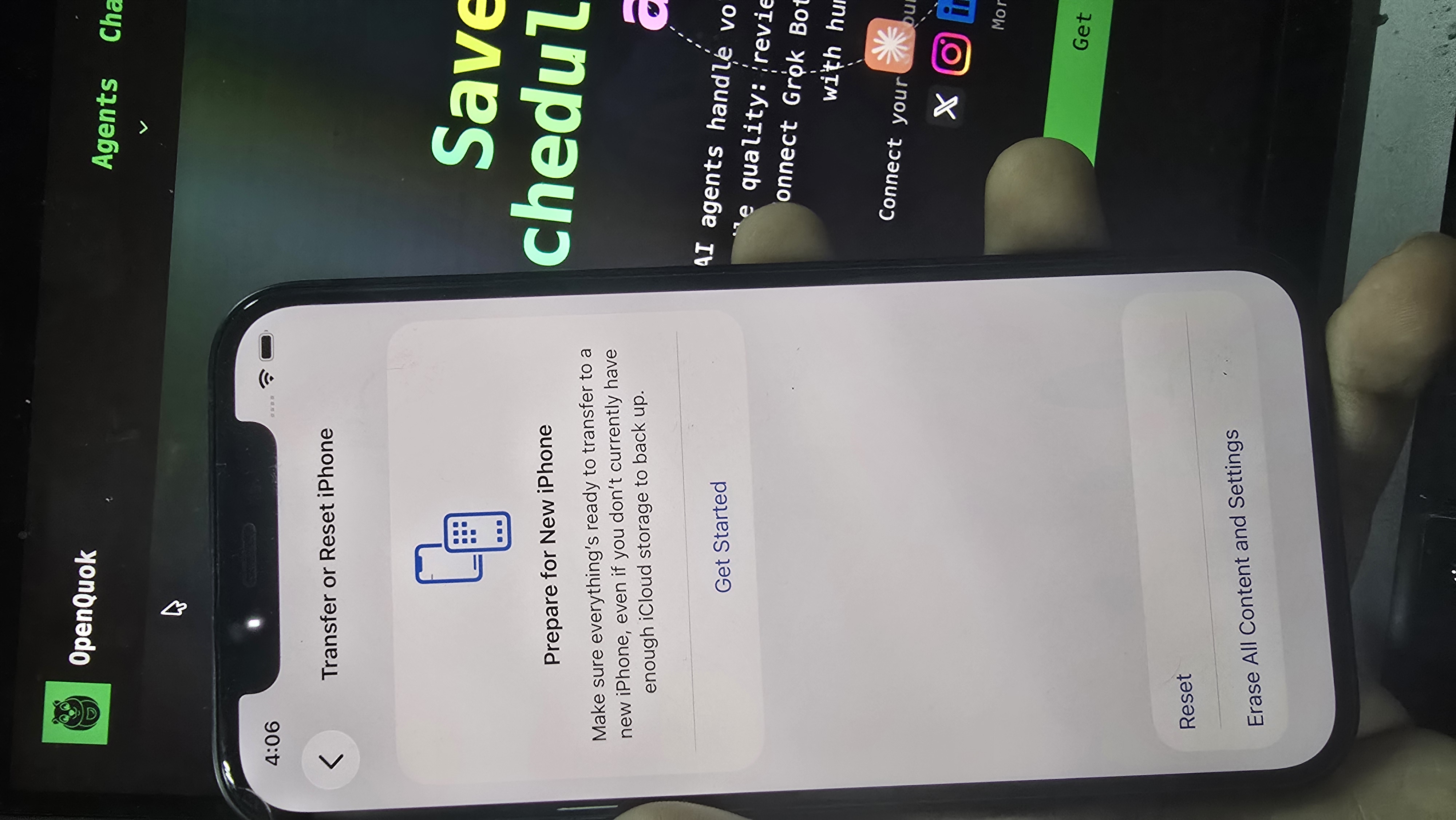
Failure modes and network rules are in How to warm up a TikTok account to reach a US audience.
Reason 1: You warmed up the wrong way
TikTok reads language, region, App Store build, timezone, and IP history, not only your hook.
Android is not working. Iphone only!!! Somehow, Tiktok can detect that android use VPN and shadow-ban it.
Cheap or shared VPNs. Recycled IPs often carry spam history. Your clip can be fine and still never leave a small test audience.
Complete warm-up before you chase volume or connect automation.
Reason 2: The “200 view” pattern (not official jail)
200 view jail is common for new creator. Upload after upload stops near the same low count when watch time, completion, shares, and saves stay weak.
Weak consistency and weak variation (same template every time) both keep you in that cage.
Keep one niche, change hooks and pacing, and read analytics on your last three to five posts. Give each real change three to five posts before you call it failed.
Plan test times with the TikTok best time to post calculator as a starting benchmark—not a substitute for retention.
Reason 3: You automate the wrong layer
There are two very different kinds of “automation.”
What hurts reach
Browser bots, credential stuffing, or tools that pretend to be the TikTok app
Fully automate on schedulingon day one with no browsing historyAgents that publish without a human scan of hook, caption, and cover
Those paths look like spam. They feed shadowban symptoms and account risk.
What scales safely: the official API
TikTok ships a Content Posting API for OAuth, video upload, and photo carousels. The flow is traceable. Your app gets a token, media is served on HTTPS URLs TikTok pulls (secure), and the post lands in the publishing pipeline.
Many AI UGC creators builders eventually use the same practice:
Domain or URL-prefix verification in TikTok Developers for those image URLs
Posts left as inbox drafts so you open TikTok, add trending sound, and publish by hand
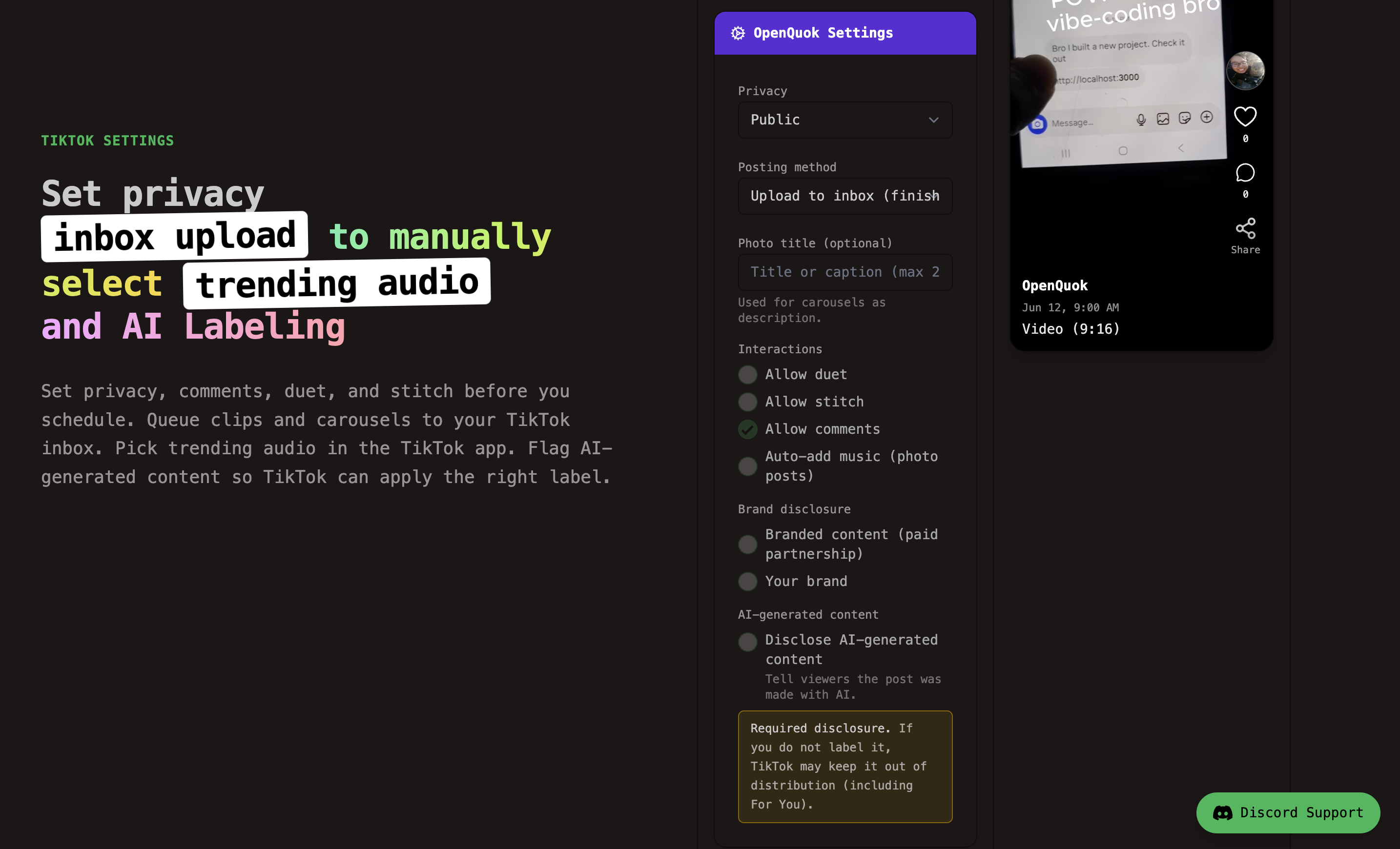
That practice is valid, but it is still hard for non technical users to follow.
So, OpenQuok already implements the official path. You connect TikTok once in the workspace (or self-host with your developer app). OpenQuok handles upload, HTTPS media, provider settings, and API calls. You choose to calling our service of UPLOAD (inbox) or private SELF_ONLY when you still need the app for audio. Setup is in TikTok integration docs. copy-paste commands are in TikTok CLI examples.
We Prefer inbox because the final approve is human and Tiktok count that as human:
Schedule or agent-draft in OpenQuok
Content arrives in TikTok as a draft
You add trending audio and tap publish in the app
That matches how successful AI UGC use the API: automate preparation, not the last native step.
Week one: manual only
Do not connect OpenQuok on signup day.
Finish warm-up search and light engagement days
Publish the first clips from the phone
Scroll your niche daily. Leave a few real comments
Add trending sound in-app when the format needs it
Generic scraped slideshows with stock overlays are crowded. Locked persona slides plus real-feeling moments usually test better.
After the first healthy week, connect OpenQuok for TikTok, approve on calendar or kanban, and keep inbox mode for clips that need manual sound. Carousel pipelines: openquok-tiktok-slideshow. Agents with approval: OpenClaw + TikTok.
Reason 4: You skip AI content labels
Disclose AI-generated or AI-edited video when it applies. In OpenQuok, enable AI-generated content / video_made_with_ai in provider settings so the API sets disclosure correctly.
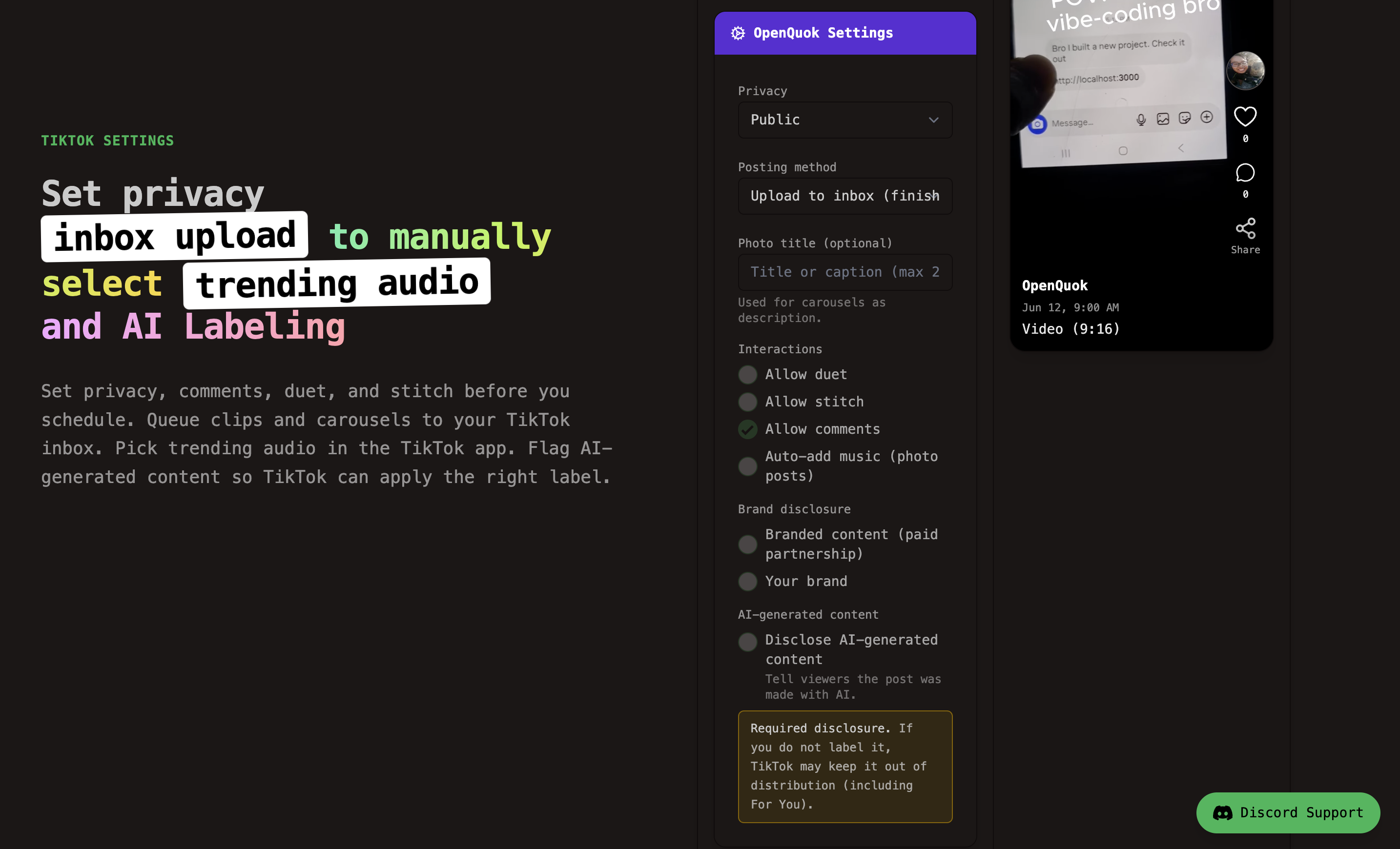
Undisclosed AI media is a trust risk on TikTok’s For You tests.
YouTube is not the same loop. YouTube still rewards search intent and subscribers who know your voice. TikTok tests strangers in seconds. A human-led YouTube channel can grow with fewer uploads. TikTok needs native finishing and honest labels when AI built the clip.
Polish captions with the TikTok Humanizer. Disclosure and readable copy solve different problems.
Reason 5: Your posting rhythm is inconsistent
Gaps and spam bursts both starve TikTok of stable audience data.
Hold three to five intentional posts per week for thirty days when you can. You can prepare carousel in the TikTok photo editor.
After week one, batch in OpenQuok and keep a short daily block for approval and inbox audio—see managing posts.
A practical fix order
Classify the problem: silent reach cap, dead account, or bad phone.
Read analytics for restriction notices on your last low post.
Align device, App Store, and VPN; finish warm-up if the account is new.
Post manually in the TikTok app for at least seven days after your first real upload.
Stop unofficial bots; plan automation on the official API only.
Connect OpenQuok; use
UPLOADor private drafts when you need trending audio; approve every post.Verify your media domain for carousels per TikTok setup if publish fails on image URLs.
Turn on AI disclosure on synthetic uploads.
Hold a weekly plan; tune times from analytics after benchmark slots.
Final thoughts
Low views are usually about trust, early engagement, native finishing, honest labels, and consistency.
Respect the ban and platform's rule. Post by hand in week one. Then use TikTok’s official Content Posting API through OpenQuok so tokens, HTTPS media, and inbox drafts stay on-platform—while your ears and thumb still finish trending audio in the app.