Grok Build
Add OpenQuok to Grok Build with grok mcp add and HTTP transport.
Connect your agent today
Draft from chat, review in your calendar, and publish only what you approve.
Prerequisites
- Grok Build installed (xAI coding agent CLI). See x.ai/build for current access.
- An OpenQuok programmatic token (opo_) from Developers → Access.
Grok Build is not the Grok chatbot and not Grok Bot cloud teammates. A Grok web custom connector does not configure this CLI.
Setup
Generate your token
In the OpenQuok app, open Account → Settings → Developers → Access. Create an OAuth app if prompted, then generate an opo_… token.
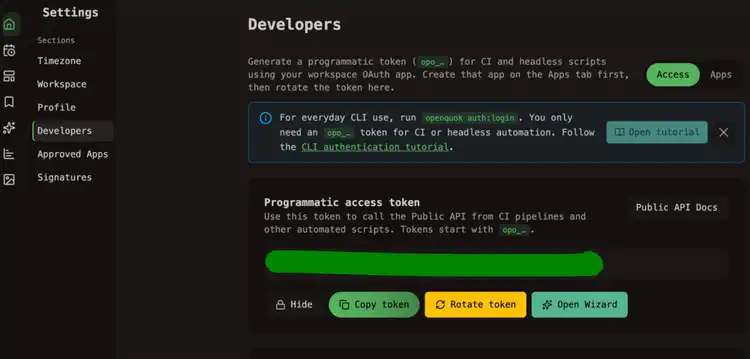
Register the OpenQuok MCP server
Run one of the following in your terminal. Server name is always openquok.
Confirm registration
Start Grok Build:
grokAsk it to list MCP servers, or inspect ~/.grok/config.toml for an openquok HTTP entry.
Start a new session and verify
In a fresh session, ask:
List my connected social media accounts
Grok Build should call OpenQuok tools and return your workspace channels.
Self-hosted API
Use your BACKEND_DOMAIN_URL origin instead of https://api.openquok.com. Grok cloud connectors need public HTTPS. A LAN or localhost URL is not reachable from Grok web.