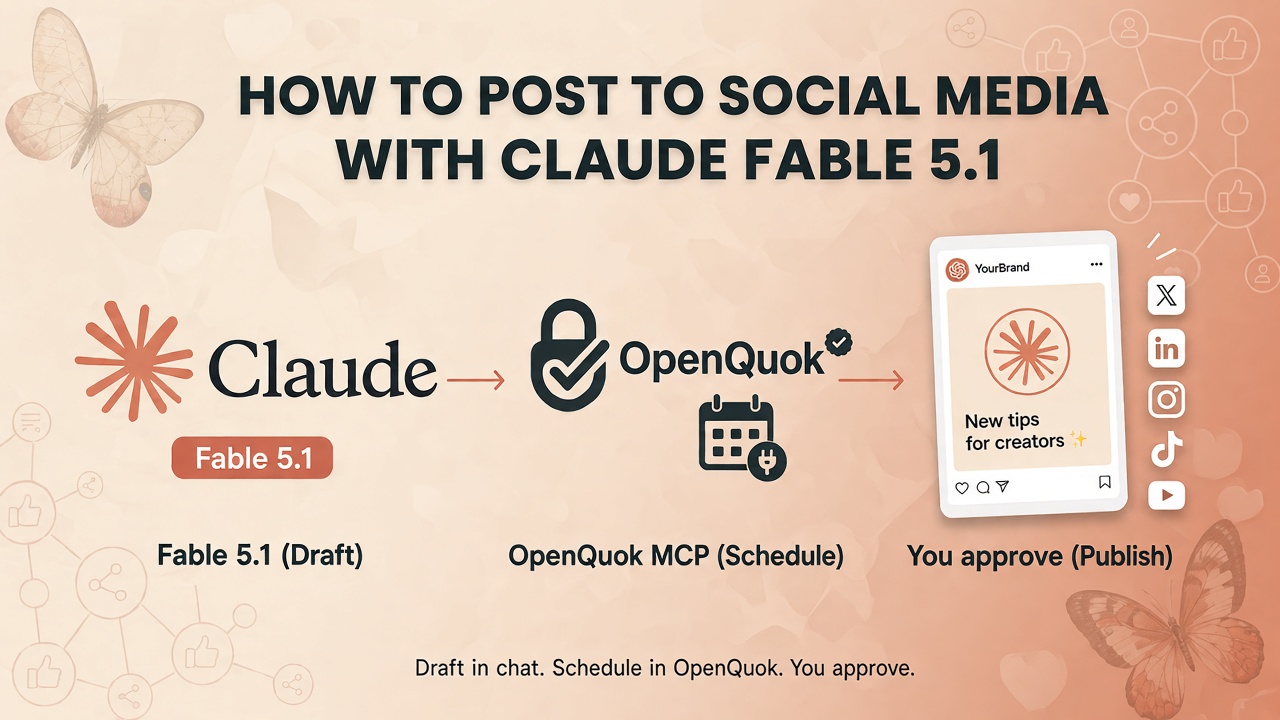
Most “Claude for social media” advice in social media are only about content or media generation, while Claude Fable 5.1 is built for longer jobs: keep the brief, call tools, and finish the sequence. That is how you go from a task in Claude to full workflow loop. This includes social schedulling e.g. on LinkedIn, X, TikTok, or YouTube.
Connect OpenQuok over MCP. Fable lists your channels, rewrites per network, and saves drafts. You approve on the OpenQuok calendar or kanban. Nothing goes live on its own.
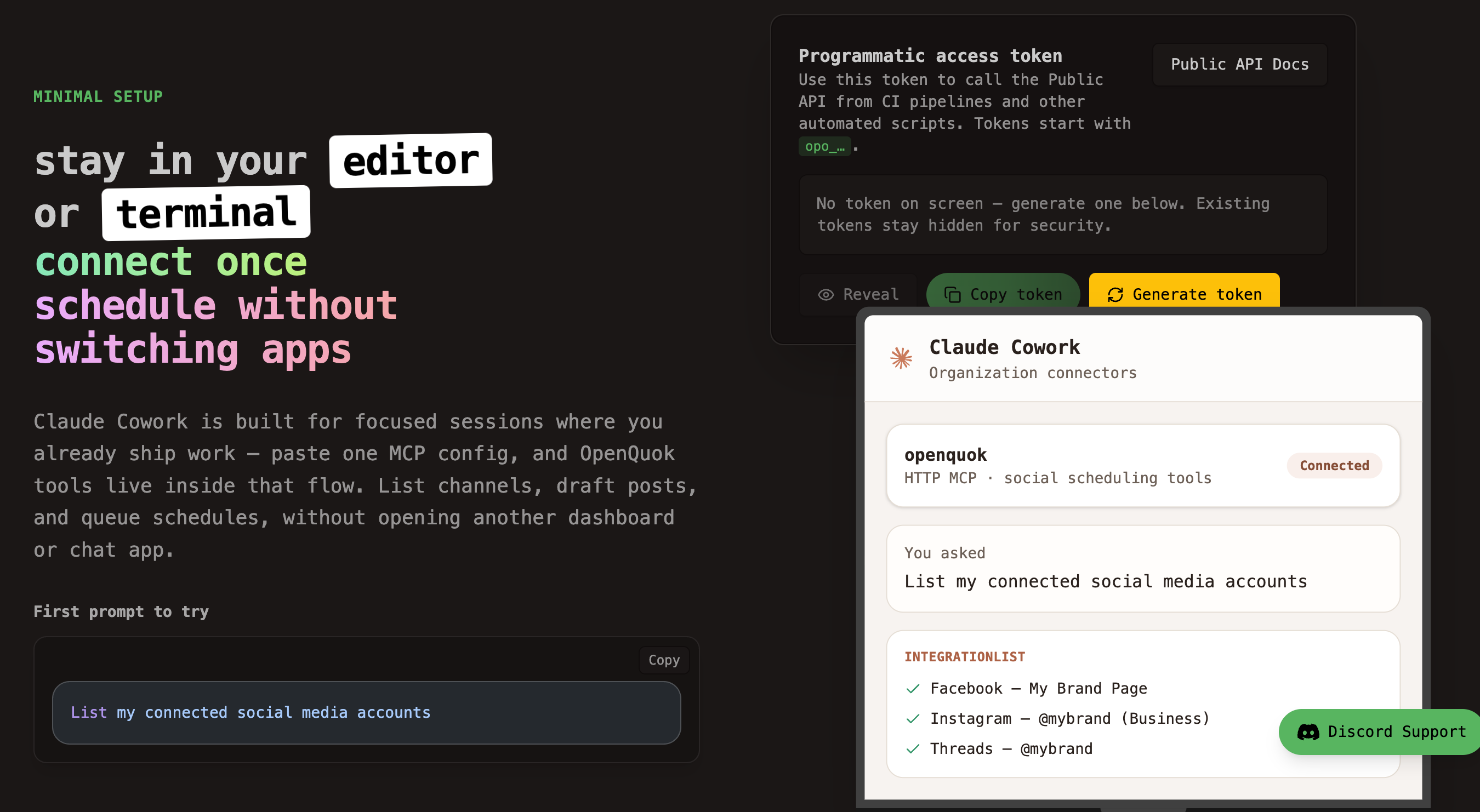
This guide is the OpenQuok scheduling path: token, MCP, captions, and drafts. If you need a motion MP4 first (Claude Opus 5.5 + Remotion), follow How to Make Motion Videos With Claude Opus 5.5 and Schedule Social Posts With OpenQuok, then return here (or use Path D/E in that post) to upload and queue the file.
Why Fable 5.1 fits scheduling from Claude
Anthropic released Claude Fable and Mythos in September 2026. They are the same model with different safeguard levels. Fable 5.1 is generally available. Mythos 5.1 is more for cyber security and life-sciences programs.
Fable 5.1 is strong at agentic coding and knowledge work. It stays readable on long, multi-step tasks. That matches social workflows: list channels, check limits, attach media, schedule drafts.
Default effort depends on where you run Claude:
Claude Code — Fable 5.1 defaults to High effort. Good for terminal sessions that call MCP tools.
Claude Cowork — defaults to Medium effort. Good for org-wide connector setups.
Claude.ai — Medium effort by default. OpenQuok MCP for scheduling lives in Code or Cowork, not the everyday chat tab alone.
Pick the client that matches how you work. Terminal-first teams use Claude Code + OpenQuok. Org-wide teams use Claude Cowork + OpenQuok.
What you need
Claude Code on your PATH, or access to Claude Cowork org settings.
An OpenQuok workspace with at least one social channel connected.
A programmatic token (
opo_…) from Developers → Access.
On OpenQuok Cloud, connect channels in the app. You do not register Meta or TikTok developer apps yourself. Full paths: Claude Code MCP setup and Claude Cowork MCP setup.
Path A — Claude Code (terminal)
Claude Code registers remote MCP servers from your shell. OpenQuok uses streamable HTTP.
Create a workspace token
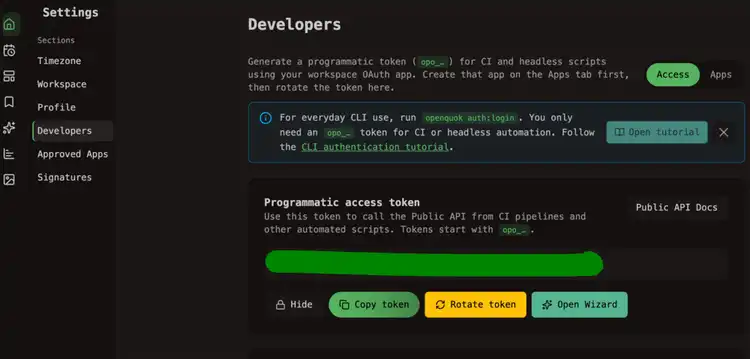
In OpenQuok, open Account → Settings → Developers → Access. Create an OAuth app if prompted. Generate an opo_… token. One token maps to one workspace.
Register OpenQuok MCP
Run one of these in your terminal (server name is always openquok):
claude mcp add openquok \
--transport http \
--header "Authorization: Bearer opo_your_programmatic_token" \
"https://api.openquok.com/mcp"
Or put the token in the URL:
claude mcp add openquok --transport http --url "https://api.openquok.com/mcp/opo_your_programmatic_token"Confirm with claude mcp list. You should see openquok with HTTP transport.
Verify in a new session
Start a fresh Claude Code session. Ask:
List my connected social media accounts
Claude should call integrationList and return channel names and IDs from your workspace.
Path B — Claude Cowork (organization)
Cowork registers MCP at the org level — Custom connectors or managedMcpServers in admin settings.
Add the connector JSON
Paste one of these blocks (name must be openquok):
[
{
"name": "openquok",
"url": "https://api.openquok.com/mcp",
"transport": "http",
"headers": {
"Authorization": "Bearer opo_your_programmatic_token"
}
}
]
Save org settings. Cowork members may need a new session before OpenQuok tools appear.
Verify
In a Cowork chat, ask:
List my connected social media accounts
The agent should call integrationList for the workspace on that token.
Draft and schedule from the same session
Do not copy captions into five apps. Ask Fable to call OpenQuok tools. The tool list is in the MCP tools reference.
Write one draft per network
Example prompt:
Rewrite this launch note for LinkedIn, X, and TikTok. Stay under each platform limit. Save each version as a draft in OpenQuok for tomorrow 10am in my workspace timezone. Do not publish.
Per-network recipes: MCP examples. Channel-specific Claude pages: LinkedIn, X, TikTok, Threads, YouTube (same paths under Cowork with claude-cowork in the URL).
For a vertical motion clip, render promo.mp4 with Opus 5.5 first, then attach it in OpenQuok (dashboard upload, openquok upload, or schedulePostTool with a public URL). Full loop: How to Make Motion Videos With Claude Opus 5.5 and Schedule Social Posts With OpenQuok.
If the draft still sounds like a model, run it through the Humanizer before you approve. For a first time slot, use the Best Time to Post calculator.
Save as draft. You publish.
Tell Claude to save a draft unless you already checked the copy in chat. schedulePostTool can draft, schedule, or publish now. Draft is the safe default. Open the calendar or kanban. Edit if you need to. Then approve.
Fable 5.1 vs Mythos 5.1 — what matters for social
Mythos 5.1 is the same capability with looser safeguards for approved cyber and life-sciences work. It does not change the OpenQuok connector steps. For posting to connected social accounts, Fable 5.1 in Code or Cowork is what most readers need.
OpenQuok still enforces the human gate. The model can draft and queue. You publish.
Prompts that work with Fable
Keep prompts short. Say the action, the channel, and the time.
Schedule a post to LinkedIn for Friday at 2pm UTC: Shipping a small update on what we learned this week. Save as draft.
Queue my launch announcement on Facebook, Instagram, and Threads — attach the hero image and set it for tomorrow at 9am. Save as drafts only.
What performed best on my channels over the last 7 days? Then draft a follow-up post for my top channel next Tuesday 9am workspace time.
If you also use ChatGPT, Grok 4.7, or a CLI host
Claude Code and Cowork are two MCP clients. The same workspace also works with ChatGPT, Cursor, and Codex. If you install openquok-core on a machine, build the skill in Skill Builder. The rule does not change: the agent drafts. You publish.
For Grok 4.7, use Cursor MCP or Grok Bot. See How to Post to Social Media with Grok 4.7 and Schedule Social Posts from Grok Bot with OpenQuok.
Start from Claude Code or Claude Cowork. Connect a channel. Run the list-accounts prompt. Plans: pricing.