OpenQuok browser extension
Install the OpenQuok Chrome extension for cookie-session channels.
Connect your agent today
Draft from chat, review in your calendar, and publish only what you approve.
Overview
Some networks do not offer a public OAuth apps.
OpenQuok connects those channels through the OpenQuok Chrome browser extension.
The extension reads session cookies from the platform site only when you start connect in the dashboard. OpenQuok validates the session on the server and stores it encrypted.
Note
Today the extension supports Skool. More cookie-session providers may register in the shared catalog later.
Warning
Session-based connect is not the same as official platform OAuth. You are responsible for complying with the platform you connect — including its terms of use. OpenQuok may change or remove an extension channel if the platform changes access.
Who needs this
| Audience | Action |
|---|---|
| Workspace members | Install the extension in Chrome, stay signed in on the platform, then use Add Channel in the dashboard. |
| Self-host operators | Build the extension, set VITE_OPENQUOK_BROWSER_EXTENSION_ID on the web app, and add your dashboard HTTPS origin to externally_connectable in the extension manifest. |
Environment variables (web)
The dashboard sends messages to the extension with chrome.runtime.sendMessage. Set the extension ID on the SvelteKit app:
| Variable | Purpose |
|---|---|
| VITE_OPENQUOK_BROWSER_EXTENSION_ID | Chrome extension ID from Extensions → Details (or the Chrome Web Store listing when published). |
Copy the key from web/.env.development.example into web/.env.development.local. Restart the dev server after changes.
Note
Extension channels do not need platform OAuth keys in your server config. The extension keeps your login up to date in the background while you stay signed in on the platform site. See Connect a channel and our Privacy Policy.
Install from source (unpacked)
Build the package
From the monorepo root:
pnpm common:build
pnpm --filter @openquok/browser-extension build
Output is in extension/dist/.
Load in Chrome
Open chrome://extensions, enable Developer mode, click Load unpacked, and select extension/dist.
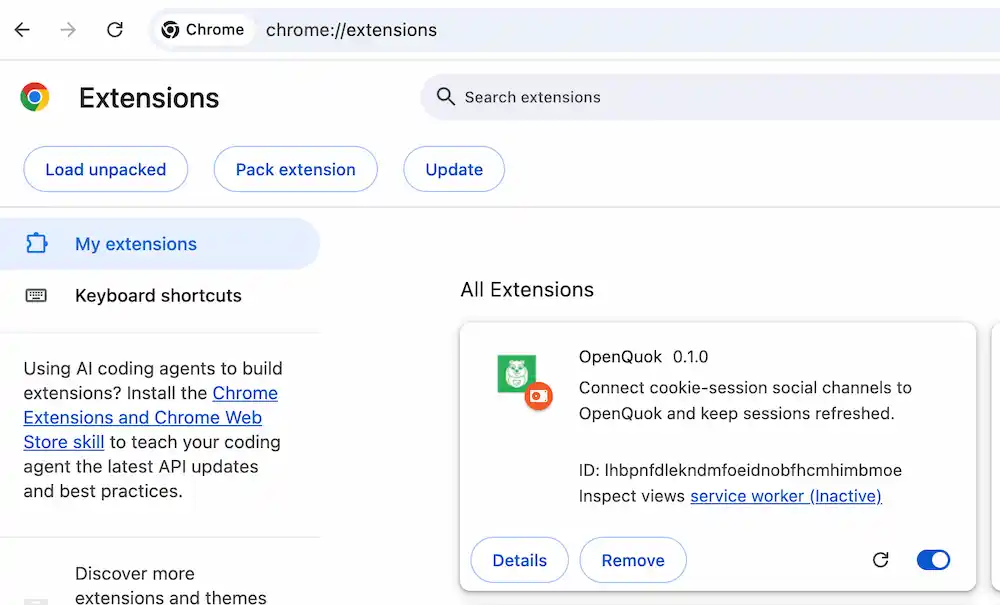
Copy the ID shown on the extension card into VITE_OPENQUOK_BROWSER_EXTENSION_ID for your web deployment.
Sign in on the platform
Open the platform site in the same Chrome profile as the extension and sign in.
Connect in the dashboard
In OpenQuok, choose Add Channel. Read the browser-extension notice, then approve cookie access when prompted.
Optional zip for manual distribution:
pnpm --filter @openquok/browser-extension zipSelf-host dashboard origin
The extension only accepts messages from origins listed in manifest.json → externally_connectable.matches. Defaults include local dev and https://*.openquok.com/*.
If your workspace runs on another HTTPS host, add that origin to the manifest, rebuild, and redistribute the extension to your users.