OpenQuok now supports Facebook Page scheduling. You connect a Page you manage with Meta OAuth. You queue text, photos, link previews, MP4 Reels, and Stories on the calendar. You add Follow-up comments with delays. You draft in the dashboard, the public API, the CLI, or MCP chat. You approve on the calendar or kanban before anything goes live.
This guide is for Page owners, marketing teams, and agencies who want Facebook publishing in the same approval loop as Threads, Instagram, and the rest of the stack. The product page is the Facebook Page scheduler.
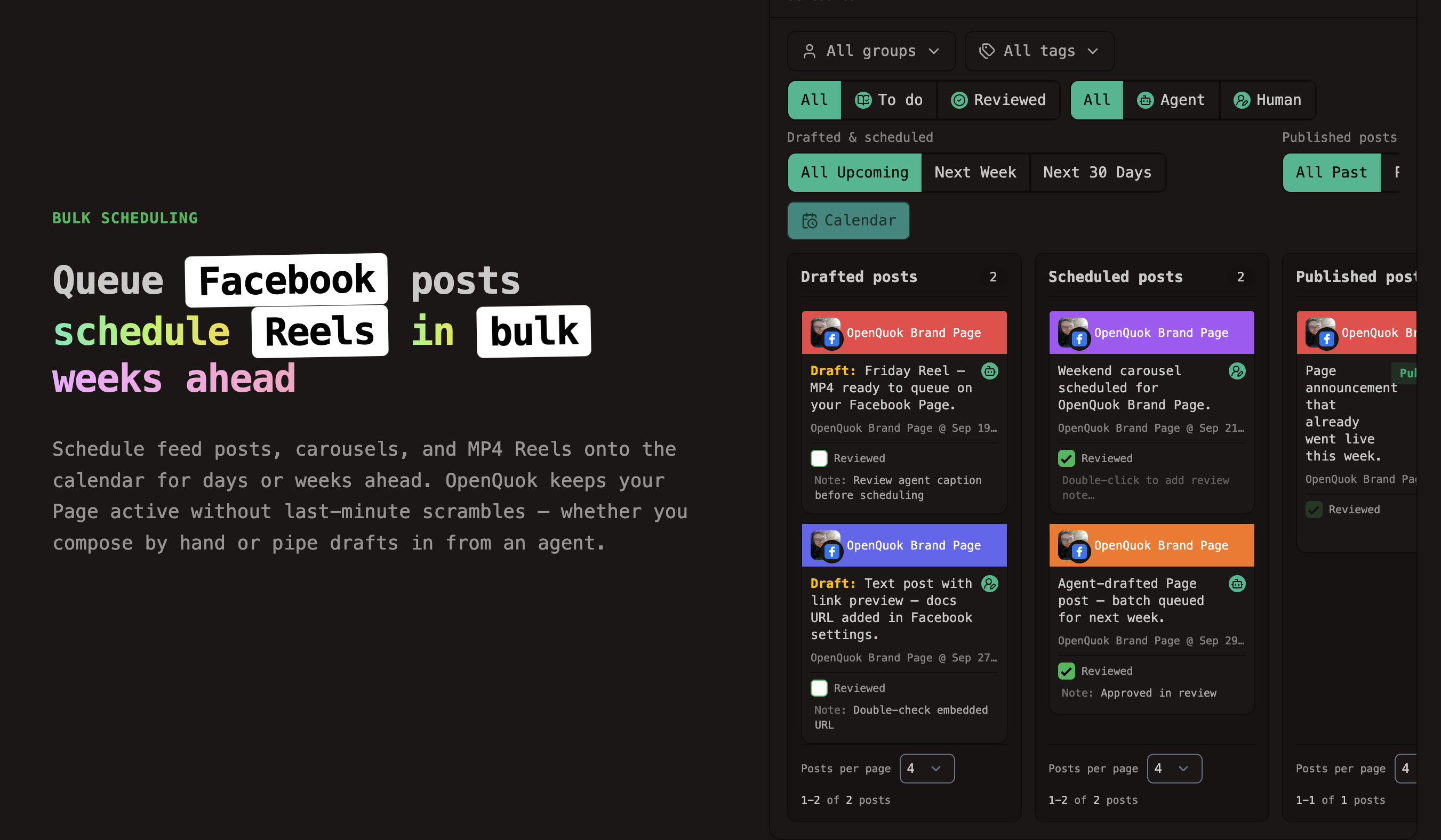
What you can do today
Connect a Facebook Page in a workspace. Complete Meta OAuth, then pick the Page you manage. Self-host operators follow the Facebook Page integration guide.
Publish feed posts with up to 63,206 characters — see Posting rules by platform.
Attach photos or a multi-photo carousel on feed posts.
Attach a single MP4 and publish a Reel on your Page.
Set post type to Story and publish image or MP4 Stories (each attachment is its own Story).
Add an optional URL on text-only posts for link-preview cards.
Schedule Follow-up comments on feed posts and Reels — text, or text plus one image per comment. See Threads and comments.
Track Page analytics — impressions, reactions, clicks, and video views — in the workspace dashboard.
Pages only. OpenQuok connects to Facebook Pages you manage, not personal profiles or Groups. Meta’s Graph API supports third-party publishing to Pages.
Plugs. Facebook does not ship internal plugs, cross-account plugs, or global plugs today. Same-account engagement after publish uses Follow-up comments in the composer. Compare plug types on the Plugs overview (Threads, X, and LinkedIn cover plugs).
Connect your Facebook Page
Sign up for free or open an existing workspace. Choose Add channel → Facebook Page. Finish Meta OAuth and select the Page you manage.
On OpenQuok Cloud, you do not register a Meta app. OpenQuok handles that for you. Follow the connect channels guide.
On self-hosted deployments, operators set Facebook app credentials, register redirect URIs, request Page permissions, and switch the Meta app to Live when publishing for users outside app roles. End users still connect from Add channel. Full steps: self-host Facebook Page setup guide.
Instagram (Business) can share the same Meta developer app as Facebook Page.
Queue posts on the calendar
Connect Facebook Page once. Then compose like any other channel.
Write the main caption in the post editor. Stay within the Page character cap. Attach photos, an MP4 for a Reel, or switch post type to Story when you need Stories.
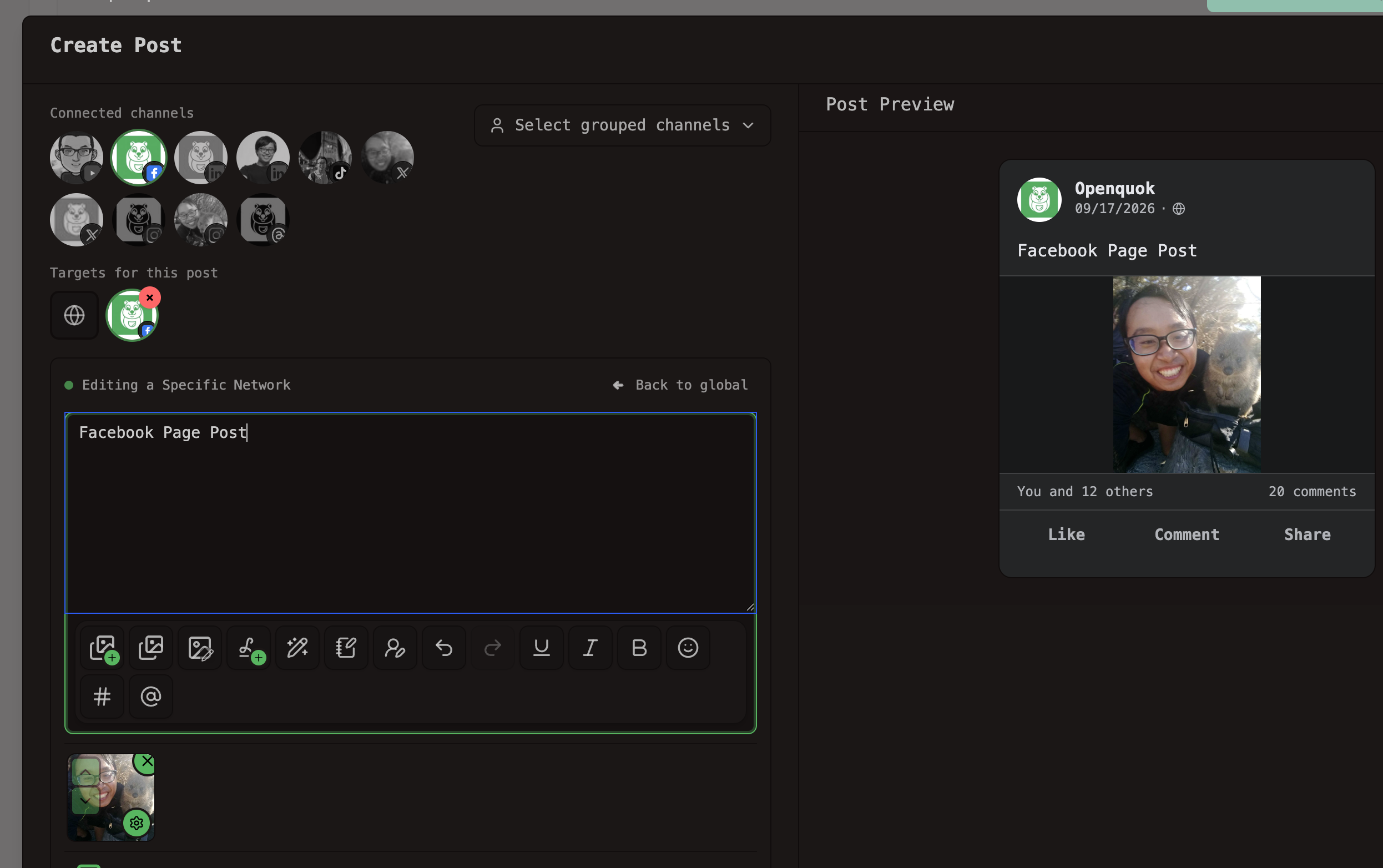
For a link preview on a text-only post, add a URL in Settings or in the API as facebook.url. OpenQuok ignores the URL when photos or video are attached.
Open Follow-up comments when you want same-account replies after the main post goes live. Use Add comment. Each row has text, an optional delay, and optional one image on the reply toolbar. Video is not supported on Facebook follow-up comments.
Save as draft or move the card to Scheduled. Nothing publishes until you approve it. You can also publish now from the composer.
Need a less machine-written caption? Use the Facebook Humanizer. For posting windows, try the Facebook Best Time to Post calculator. Size stills in the Facebook Photo Editor.
Follow-up comments
A Facebook Page post can have more than one part. The main post publishes first. Follow-up comments publish as comments on that post after the delays you set.
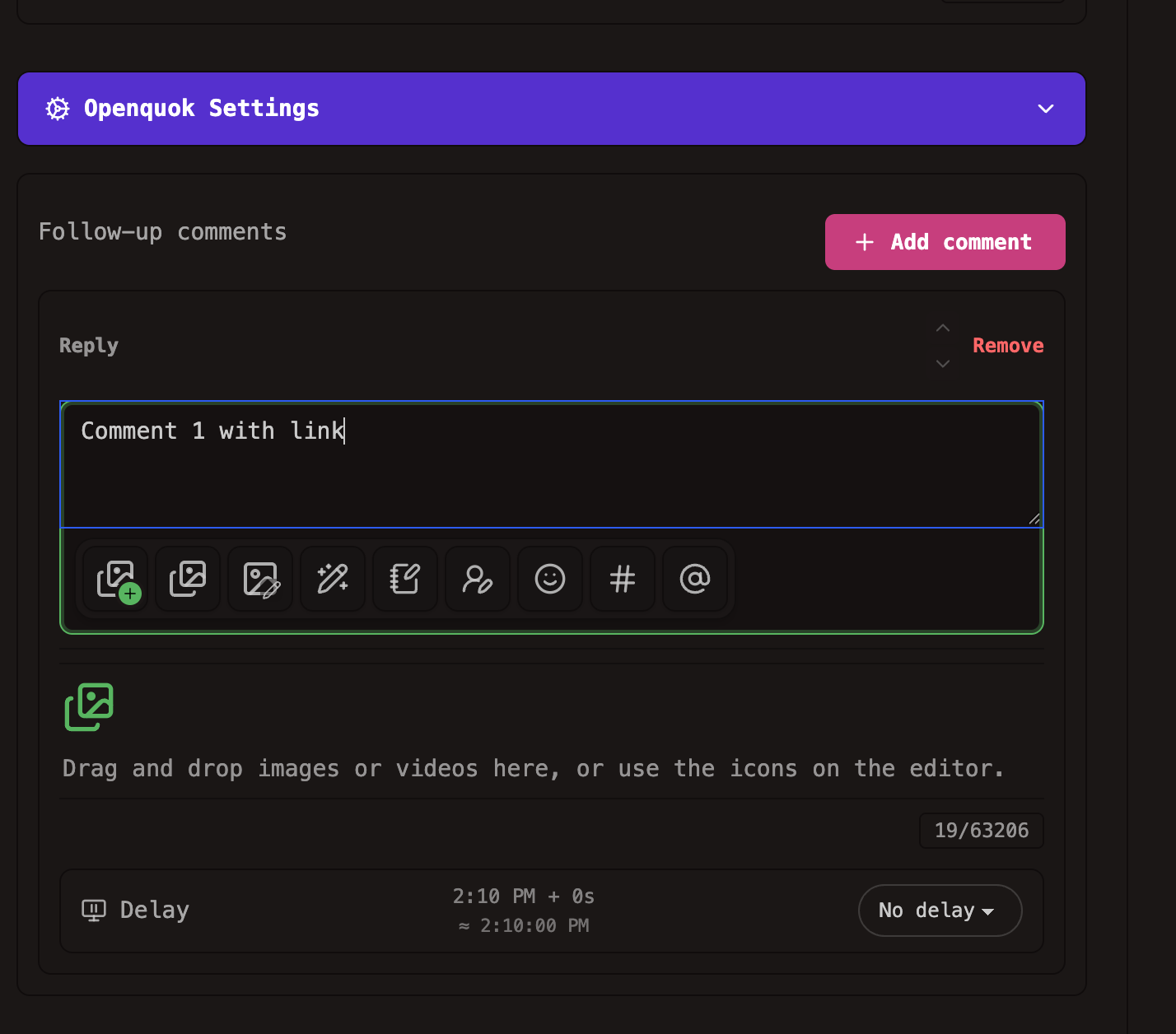
Delays are short: no delay, 5 seconds, 10 seconds, 30 seconds, 1 minute, or 5 minutes. The editor shows an approximate clock from the scheduled time.
Use Follow-up comments for ordered replies on the same Page — a CTA in a second comment, a link in a later row, or an image attachment on one comment row. Stories do not support follow-up comments or link URLs.
Follow-up comments are not plugs. They live in the Follow-up comments panel, not Plug settings.
Reels and Stories
Reels
Attach a single MP4 when composing a Facebook Page post. OpenQuok uploads through Meta’s Page video API. Facebook surfaces eligible uploads as Reels. Caption text becomes the video description.
Stories
Set post type to Story in the composer, or pass post_type: story via the API or CLI. Attach at least one image or MP4. Each attachment publishes as its own Story on your Page.
Cross-post to other channels
Write once in OpenQuok. Publish the same idea to Facebook, Instagram, Threads, X, LinkedIn, TikTok, YouTube, and other connected channels. Each destination gets its own caption and limits. See Supported channels.
Global mode keeps one caption. Exit global mode to tailor the Facebook copy. Link previews and Facebook-only settings belong on the focused Page channel.
CLI, API, and agents
After the Page is connected, scripts use the workspace token. List the integration id, then schedule:
FB_ID=$(openquok integrations:list | jq -r '.[] | select(.identifier=="facebook") | .id')

openquok posts:create \
  -c "Hello from our Page!" \
  -s "2026-09-20T09:00:00Z" \
  -t schedule \
  -i "$FB_ID"
Follow-up comments go in facebook.replies. Link previews use url or facebook.url on text-only posts. Stories use post_type: story or facebook.postType: story. Field reference: Facebook Page Settings. Recipes: CLI examples — Facebook.
MCP clients call the same workspace. Walkthroughs: MCP examples — Facebook. Onboarding: MCP getting started.
Pack CLI recipes in the Facebook Skill Builder when you distribute openquok-core as a skill. Agent hosts such as OpenClaw, Hermes, and Grok Bot can draft Page posts. You still approve. Per-channel landing: Schedule Facebook from OpenClaw.
If you already run Threads through OpenQuok, the workflow matches — see Schedule Meta Threads posts, replies, and plugs with OpenQuok. Facebook adds Page feed, Reels, Stories, and link previews; it does not add plug automation.
Analytics
Workspace analytics include Facebook Page when the channel is connected. Track impressions, reactions, and clicks on posts. Track video views at the Page level. Then schedule more of what already works. Pull the same numbers with analytics:platform and analytics:post — see analytics CLI.
Try it
Start a trial. Connect a Facebook Page. Schedule a post from the Facebook scheduler. Or use the public API and CLI once the Page exists in the workspace. Plan limits are on Pricing.