<
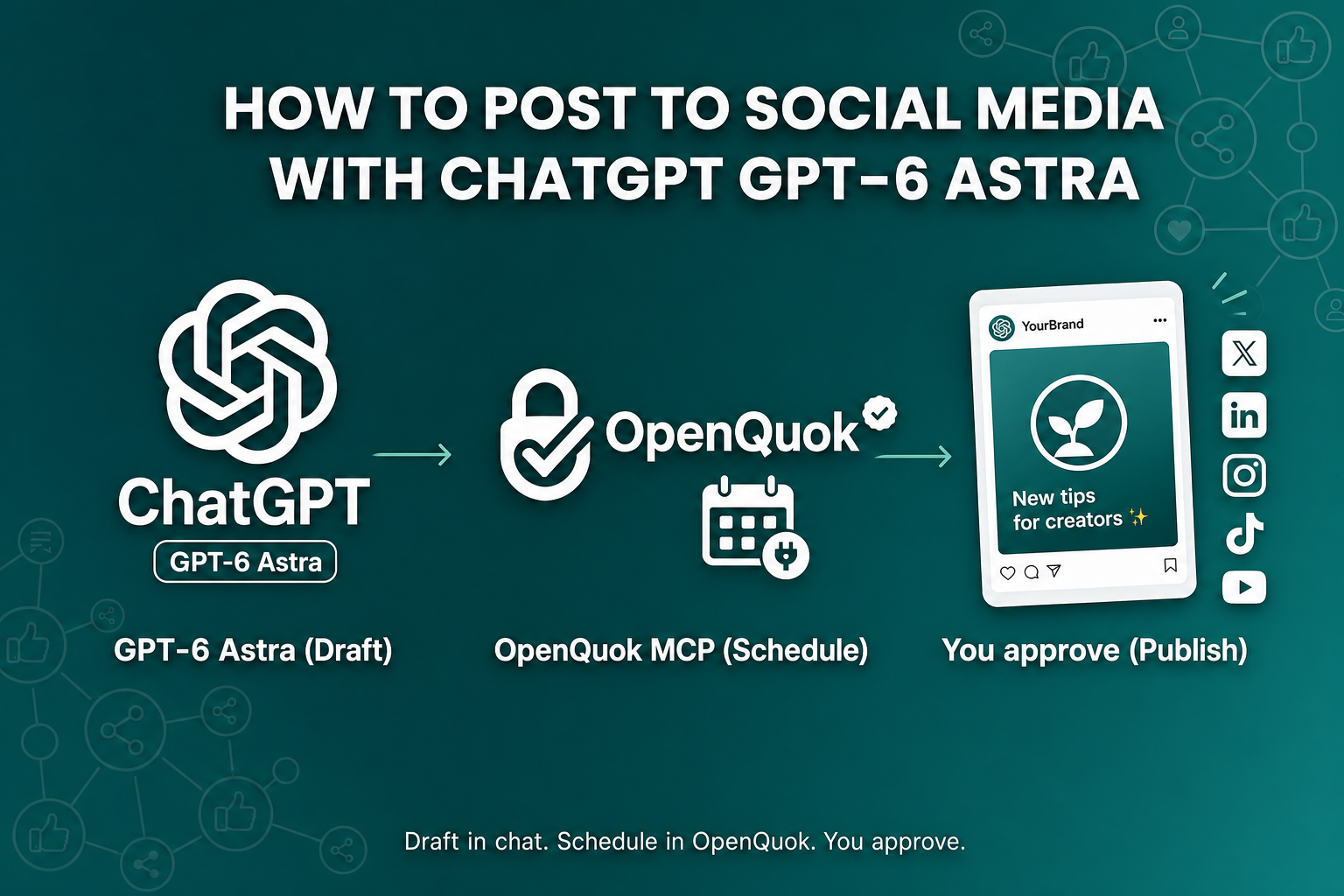
Most “ChatGPT social media” guides stop at captions. GPT-6 Astra does more. It can keep your brief, call tools, and finish the job. That is how you go from text in a chat to a real post on LinkedIn, X, TikTok, or YouTube.
Keep drafting in ChatGPT. Add the OpenQuok ChatGPT connector. Astra then sends the post to OpenQuok. You can publish now, schedule for later, or save drafts and approve on the calendar or kanban.
Why GPT-6 Astra fits this job
GPT-6 Astra shipped in early September 2026. OpenAI built it for long tasks: browse, call tools, and stay on the brief. A good brief looks like this: list my channels, rewrite this hook for each network, then save drafts for Thursday.
Older ChatGPT chats were strong at prose. Astra is stronger at the full sequence.
Your plan controls where you get Astra:
ChatGPT Plus — Astra is in ChatGPT Work and Codex. It is not in the everyday Chat window.
Pro, Business, and Enterprise — GPT-6 Pro (Astra) is also in Chat. There is a weekly message limit.
Custom MCP connectors — You need Plus, Pro, Business, Enterprise, or Education. Free ChatGPT cannot add OpenQuok.
If you are on Plus, do this how-to in ChatGPT Work with the OpenQuok connector on. Work is the agent surface. Astra can chain tool calls there. It does not stop at a caption.
ChatGPT MCP vs OpenAI Dots
This how-to is for GPT-6 Astra plus the OpenQuok MCP connector in Chat. You paste one connector URL. Astra calls OpenQuok tools in the same thread. The session is tied to that chat.
OpenAI Dots are a different path. A dot is an always-on agent with its own cloud computer. You install @openquok/auto-cli and register openquok-core through plugins on that computer. You can message the dot from ChatGPT, Slack, or Microsoft Teams. Custom Rules and Activity View fit long-running scheduling there.
The same OpenQuok workspace works for both. Use the table to pick a path.
Path | When to pick it | Start here |
|---|---|---|
ChatGPT MCP + GPT-6 Astra | Tool calls in Work or Chat. No skill on a cloud computer. | |
OpenAI Dots + | Persistent cloud computer. Slack or Teams as well as ChatGPT. | Schedule Social Posts from OpenAI Dots, Dots + OpenQuok, Dots setup guide |
Claude vs OpenAI (lab / harness) | The fork is Codex, ChatGPT, or Claude Code—not this MCP chat. | Claude vs OpenAI: Choose OpenQuok and the Right Agent Harness |
Cloud Bot vs self-host chat | The fork is Grok Bot vs OpenClaw, not ChatGPT Work. |
What you need
A ChatGPT account on Plus or higher, with Developer mode.
An OpenQuok workspace with at least one social channel connected. See connect channels.
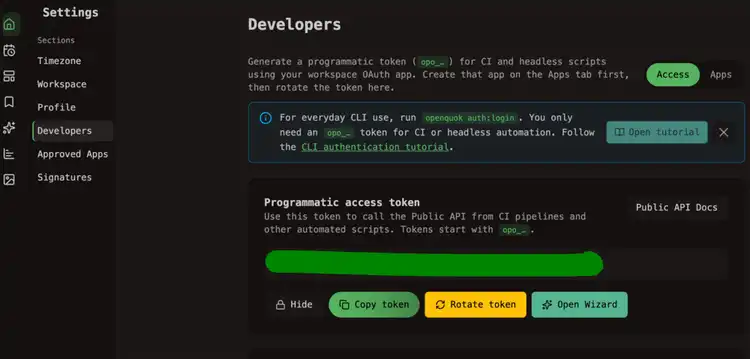
A programmatic token (
opo_…) from Developers → Access.
On OpenQuok Cloud, you connect channels in the app. You do not register Meta or TikTok developer apps. For the full connector path, see the ChatGPT MCP setup guide.
Create a workspace token
In OpenQuok, open Account → Settings → Developers → Access. Create an OAuth app if the screen asks for one. Then create an opo_… token. One token maps to one workspace. Use a new connector for each brand if you must keep channel lists apart.
Add the custom connector
In ChatGPT, open Settings → Security and login. Turn on Developer mode. Then open Settings → Connectors, or create a developer-mode MCP app, and paste:
https://api.openquok.com/mcp/opo_your_programmatic_tokenName it OpenQuok. Save. Turn the connector on for the chat. You can also copy a ready snippet from Developers → Access → MCP client configuration. See MCP client setup.
Turn on GPT-6 Astra
Start a new chat with the connector on. On Plus, open ChatGPT Work and select Astra. On Pro, you can use GPT-6 Pro in Chat. When ChatGPT asks you to confirm a tool call, say yes only if you mean it. Write tools can change live workspace data.
Draft and schedule from the same chat
Do not copy captions into five apps. Ask Astra to call OpenQuok tools. The tool list is in the MCP tools reference.
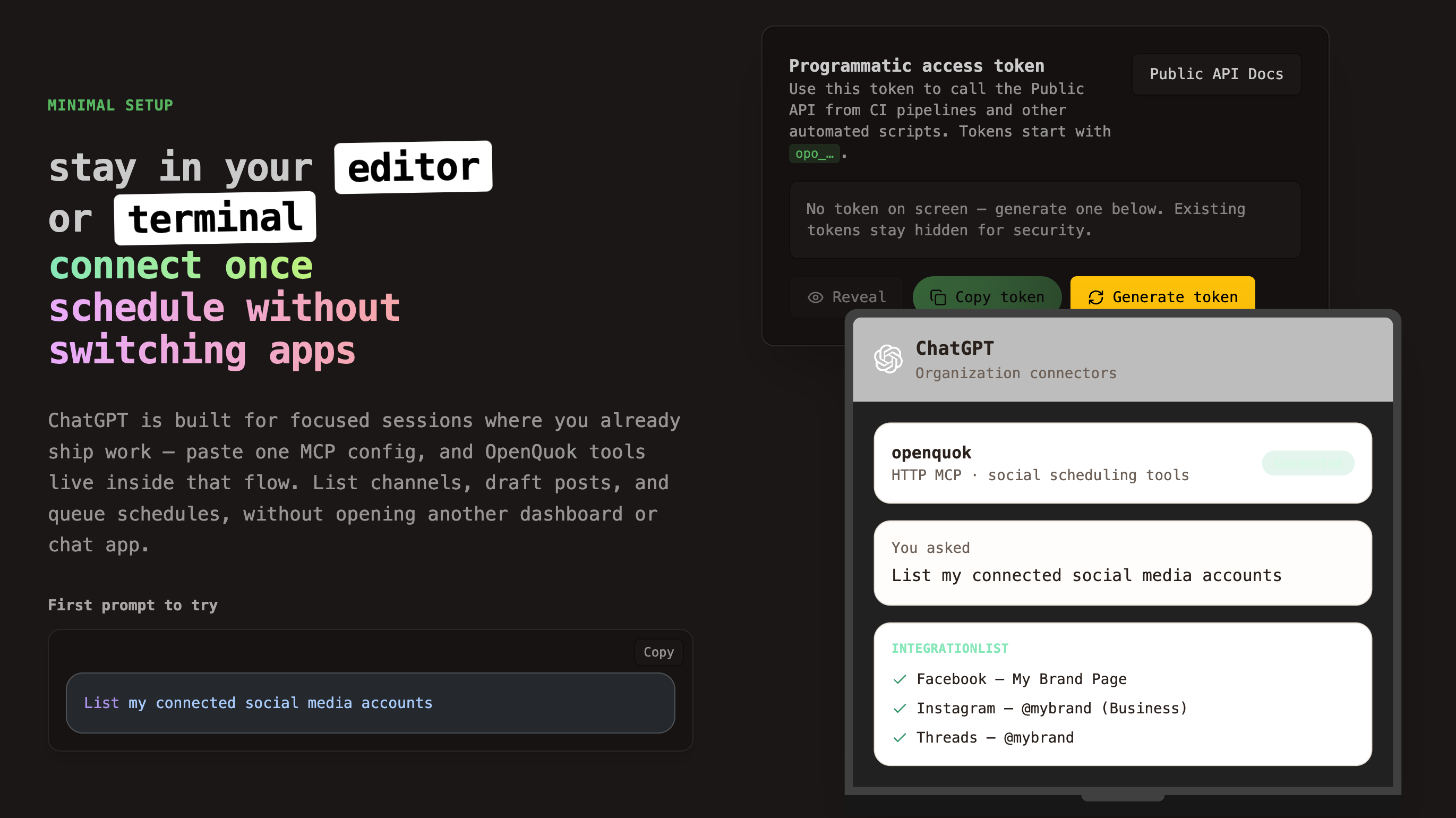
List your connected accounts
Ask:
List my connected social media accounts
Astra should call integrationList and return channel names and IDs from the workspace on that token. If the list is empty, connect a channel first. Then ask again.
Write one draft per network
Do not reuse one caption on every channel. Ask Astra to keep the brief and change the shape. Example:
Rewrite this launch note for LinkedIn, X, and TikTok. Stay under each platform limit. Save each version as a draft in OpenQuok for tomorrow 10am in my workspace timezone. Do not publish.
For per-network recipes, see the MCP examples. Then open the ChatGPT page for that network:
Channel | ChatGPT + OpenQuok page | Channel hub |
|---|---|---|
TikTok | ||
X | ||
Threads | ||
YouTube |
If the draft still sounds like a model, run it through the Humanizer before you approve. For a first time slot, use the Best Time to Post calculator. Then lock the time in OpenQuok.
Publish now, schedule, or draft — you choose
Tell Astra what you want in plain language. schedulePostTool can publish now, schedule, or save a draft. Use draft or schedule when you want a review step. Open the OpenQuok calendar or kanban. Edit if you need to. Approve when you are ready.
Save as draft only — I will approve on OpenQuok before anything goes live.
Publish this caption to X now — I already approved the text in chat.
What this covers — and what it does not
Set the scope before the first Astra session. Then you get fewer surprises.
From chat: text and image posts on connected OpenQuok channels. That includes Instagram, Facebook, X, LinkedIn, Threads, TikTok, YouTube, and Dev.to when those accounts are connected.
Video: attach a file in the MCP chat, or give Astra a public video URL. Platforms need minutes to process video. For Reels, TikTok, and YouTube, schedule the post. Do not publish now.
Not covered here: Free ChatGPT. Accounts you never connected in OpenQuok. The Dots + openquok-core path — use the Dots walkthrough in the table above instead of this MCP walkthrough.
For a longer video cut before you queue, see How to edit video with ChatGPT, CapCut, and OpenQuok.
Prompts that work with Astra
Keep prompts short. Say the action, the channel, and the time. Astra can fill the OpenQuok MCP fields from that.
Schedule a post to X for tomorrow at 10am: Excited to announce our new feature! Save as draft.
Use integrationSchema for Instagram, then draft a feed caption under the character limit with an image I will attach. Do not publish.
Create five weekday drafts for my LinkedIn channel at 9am workspace time. Same theme, different hooks. Leave them for me to approve.
If you also use Dots, Codex, Grok 4.7, or a CLI host
ChatGPT MCP is one client. The same workspace also works with Cursor, Claude, Codex, Dots, and skill-based hosts. Build openquok-core in Skill Builder when the host uses a skill zip. Do not zip it by hand.
Host | How it talks to OpenQuok | Guide |
|---|---|---|
OpenAI Dots | Skill on the dot cloud computer | |
Cursor | MCP in the editor | |
Grok 4.7 / Grok Bot | Cursor MCP or a Grok Bot skill | How to Post to Social Media with Grok 4.7 and Schedule Social Posts from Grok Bot |
Claude Fable 5.1 | Claude Code or Cowork | |
Codex | Open MCP setup, many models |
Start from the ChatGPT landing. Connect a channel. Run the list-accounts prompt. Hosted plans are on pricing.