This blog is for Founders running Grok Bot as their AI social media manager
Founders and solopreneurs using Grok Bot with OpenQuok
Grokbot second brain full guide (+ full prompts)
Platforms keep telling founders to let Grok Bot carry busywork. xAI’s product bet is not one mega-chat, but it is delegating work as a team: multiple specialized Bots on a shared cloud computer, each owning a recurring job while respawning each time the context is full( aka context rot or hallucination).
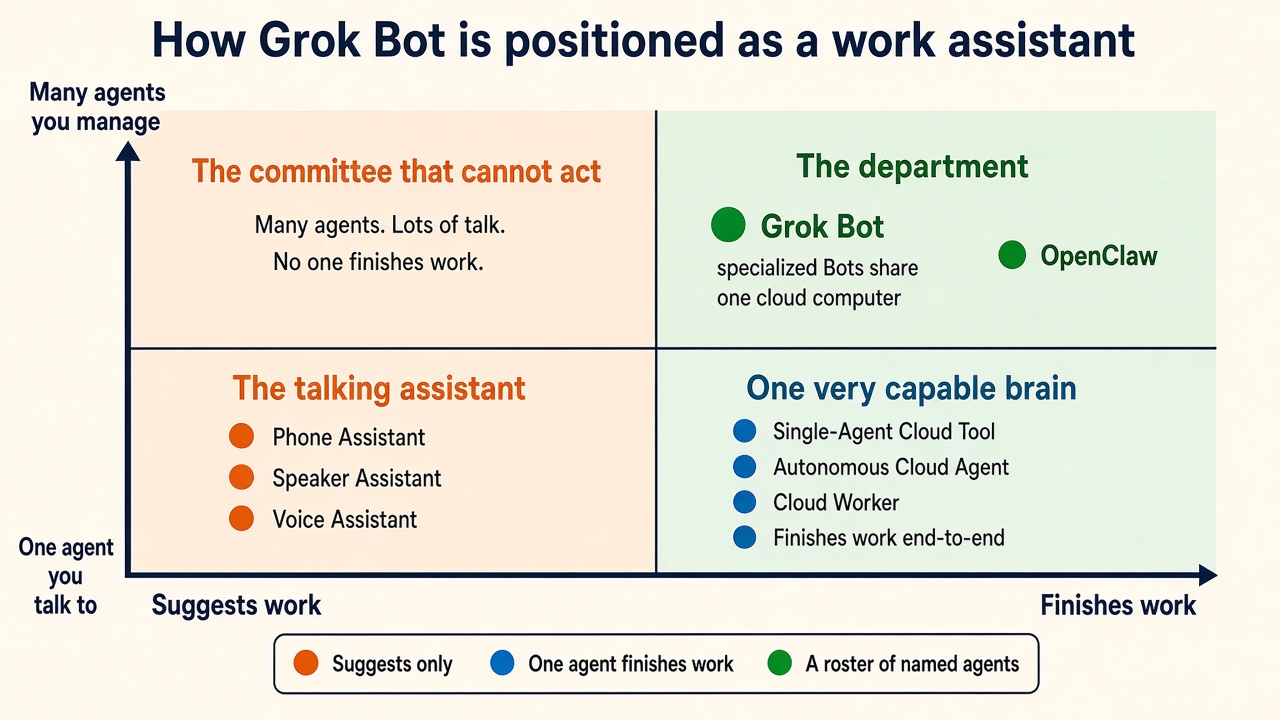
That vision is directionally right. Most teams still stop at one-off tasks. They never wire grokbot into a loop that scans trends, drafts per network, schedules, catches viral moments, and learns every Monday.
Marketing content is cheap now. Slideshows, short video scripts, and carousel outlines take minutes. The expensive part is what happens after you post—and whether the same Bots rerun the playbooks every week instead of you re-prompting from scratch. A winner goes out once on one network. A spike has no link. Nobody matches views to signups. Every viral moment that does not point at your product gives that attention away.
This grokbot second brain full guide is the OpenQuok version of a complete AI social media manager stack. You use Notion or Obsidian as the brain—not loose app-brief.md files on the cloud disk. You use Virlo for TikTok and Instagram trend signal. You use OpenQuok for calendar, drafts, analytics, and post-publish plugs. Below are four full prompts you paste into Grok Bot (fewer than a seven-prompt deck, same coverage).
If you are still choosing a host, start with Best Grok Bot alternatives in 2026 for OpenQuok social scheduling, Grok Bot vs OpenClaw, and Grok Bot vs Grok Build. Hub: Grok Bot on OpenQuok. More tutorials: OpenQuok blog.
What is a Grok Bot social media manager?
A Grok Bot social media manager is a persistent xAI teammate, not the browser Grok chat or Grok Build alone that keeps a cloud computer, skills, plugins, and scheduled routines. It knows your product from a second brain. It talks to a real scheduler. It researches trends, drafts platform-specific posts, queues them as drafts, and reports what worked. You approve batches. Nothing reaches the public by accident.
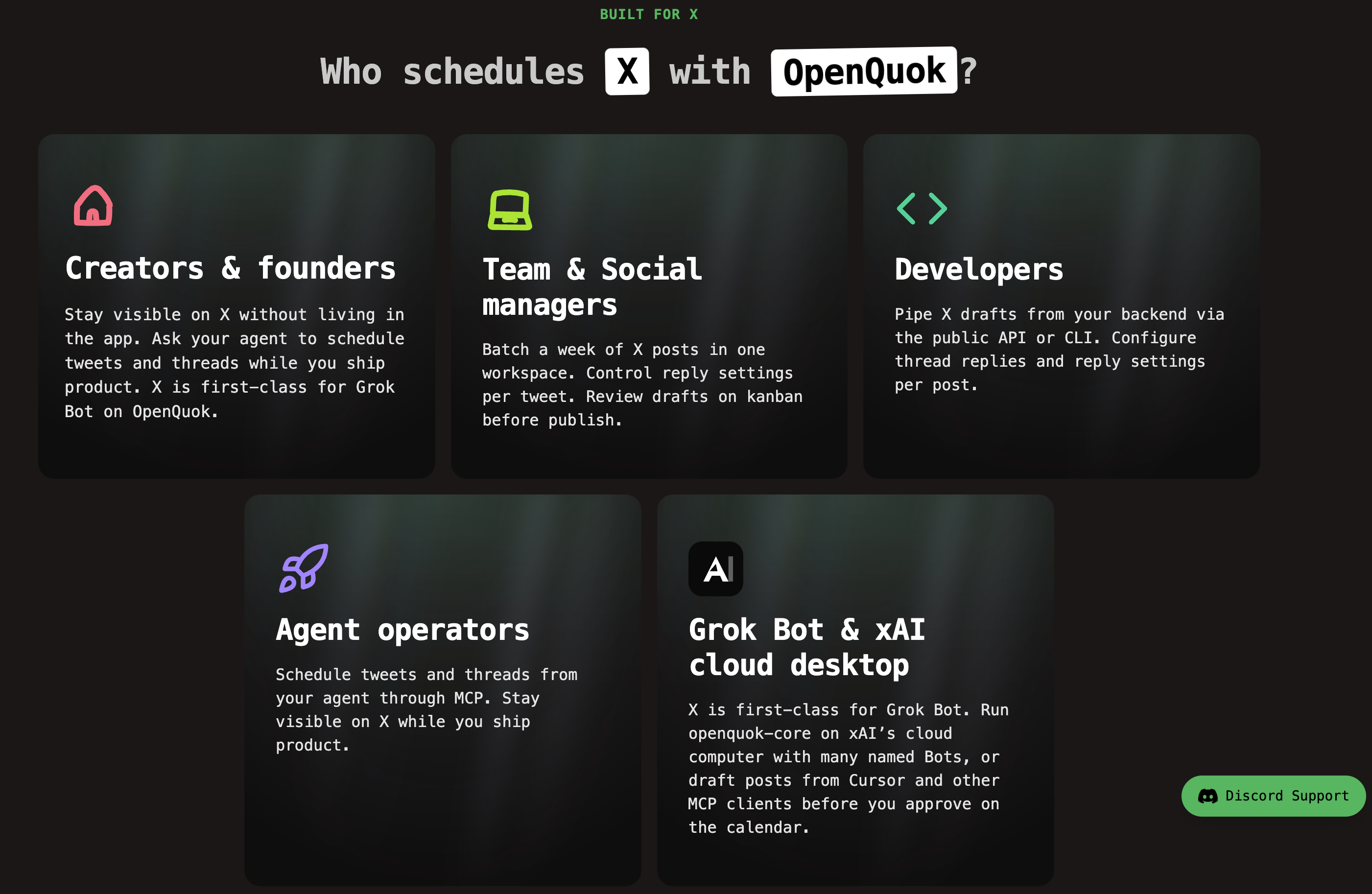
Grok Bot is a strong default for app marketing because it sits next to X, where many trends start. It can search high-engagement posts without bolting on a separate research stack. It also runs jobs while your laptop is closed. OpenQuok supplies what chat alone lacks: a calendar you trust, per-network rules, inbox upload for TikTok audio, analytics the Bot can read, and automations after publish.
In this setup, roles split cleanly:
Layer | Job | How it connects |
|---|---|---|
Grok Bot | Trends, drafts, routines, alerts, weekly narrative | You message the Bot; routines run in the cloud |
OpenQuok | Calendar, kanban, multi-channel publish, analytics, plugs |
|
Notion or Obsidian | Canonical brain, house rules, logs, winners, failures | One page or note the Bot updates every run |
Virlo | Short-form trend ranking for TikTok and Instagram | Plugin or workflow; see Virlo grokbot |
OpenQuok is built for agents: the same workspace works from grokbot, other agent hosts, MCP clients, the CLI, and the public API. You are not locked to one model vendor. Overview: Agents hub.
Grokbot stack in eight moves (short list)
Build the app brain in Notion or Obsidian—Prompt 1.
Install OpenQuok on the cloud computer and save house rules in the brain.
Add Virlo so grokbot can read TikTok and Instagram momentum—not only X.
Run a 7am daily routine: trend scan plus draft set—Prompt 2.
After you reply approved, fill the week from analytics—Prompt 3.
Configure post-publish plugs so good posts do not leak downloads.
Run hourly viral watch and Monday learning—Prompt 4.
Keep six human decisions: brain interview, trend picks, approvals, TikTok sound, real replies, kill vs scale.
Why grokbot for app marketing, and why now
Three forces make this worth building this quarter.
First, trend proximity. Grok Bot can search X as part of its normal tools. Other agents often need separate research tabs or scrapers just to learn what moved in the last 24 hours. For consumer and prosumer apps, that shortens the morning scan. Channel depth: Grok Bot and X.
Second, always-on execution. Each Bot keeps a shared cloud computer. You define routines once—7am scan, hourly outlier check, Monday report—and they run on a clock. You still approve drafts; the machine does not freelance on publish.
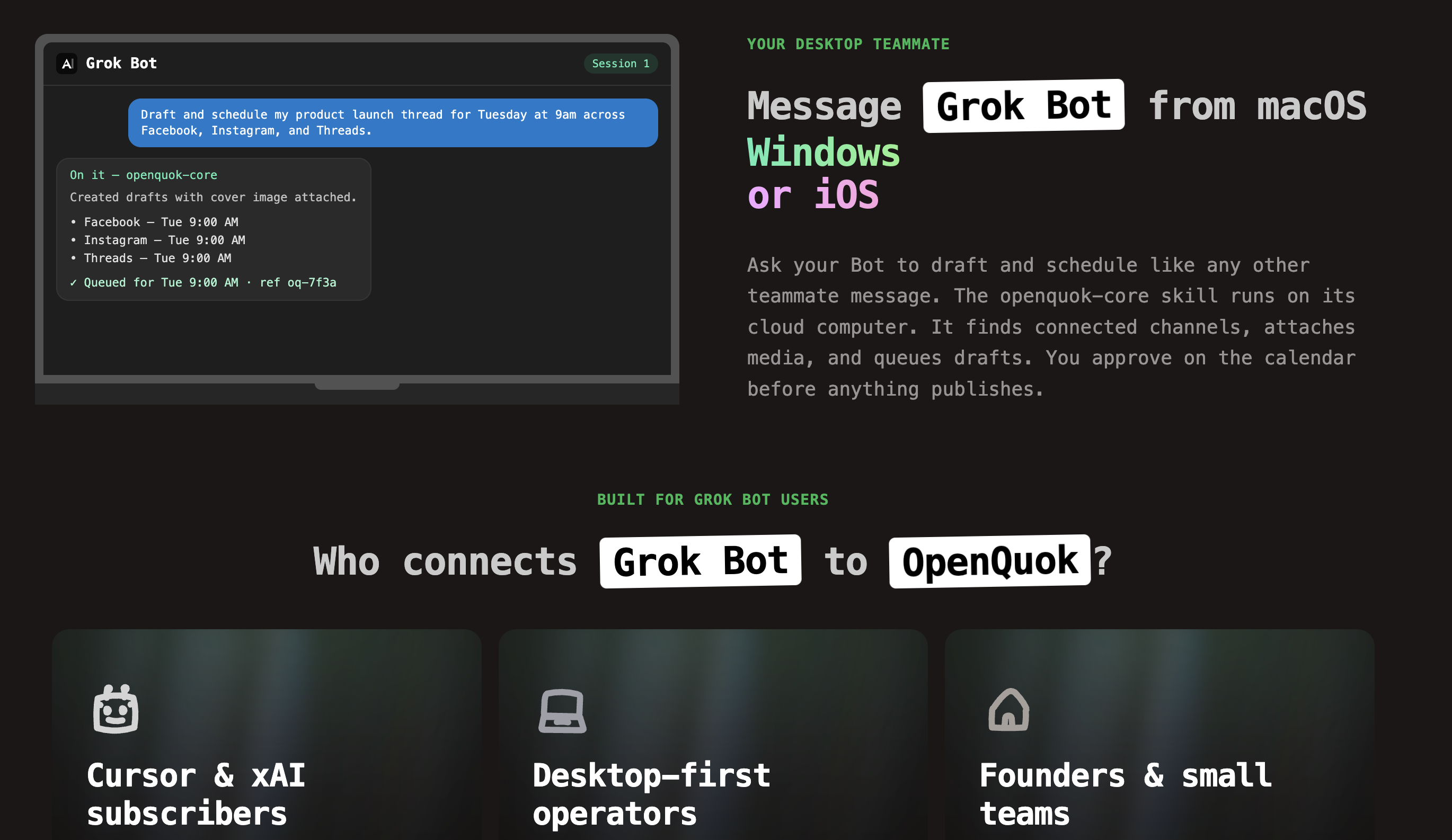
Third, platform push. Creator and agent workflows are getting loud distribution. Early operators who pair a capable agent with a real scheduler tend to compound faster than teams that only experiment in chat.
What OpenQuok adds around grokbot posting:
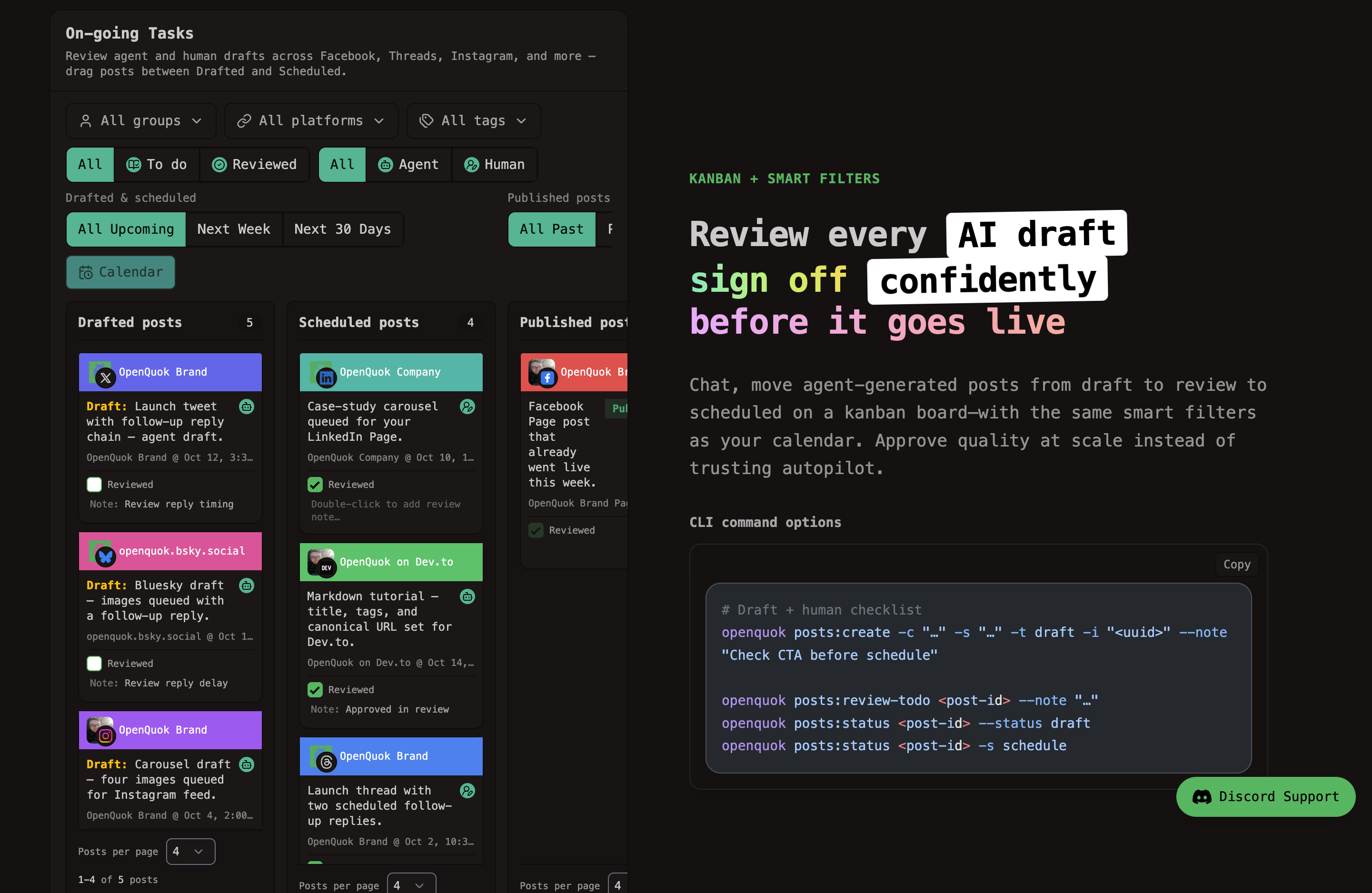
A calendar and kanban so you see the week before anything goes live.
Draft-first workflows until you say approved.
Many networks from one workspace with different supported channels.
Analytics the Bot can read with
openquok analytics:platform.Global plugs, internal plugs, and cross-account plugs after go-live.
Repeat cadence for evergreen winners—repeating posts.
Prerequisites
A Grok Bot on an eligible plan, with at least one Bot created.
An OpenQuok workspace—sign up, then connect channels.
A Notion page or Obsidian vault note for the brain.
A Virlo account for short-form pulls (Virlo).
Roughly one hour for the initial brain interview.
Assemble channel CLI recipes in Skill Builder before you scale prompts. For TikTok-specific flows: Grok Bot × TikTok.
Second brain: Notion vs Obsidian (not a throwaway .md file)
Your grokbot is only as good as the context it re-reads. A single app-brief.md on the cloud filesystem is easy to lose across resets, duplicate across routines, or forget to update. A second brain in Notion or Obsidian gives you one canonical source the Bot must sync on every job.
Notion works well when non-technical teammates edit voice or off-limits. Create a page titled App Brain. Use fixed sections: one-liner, audience, magic moment, pain bank, proof, voice, off-limits, what works for us, OpenQuok house rules, OpenQuok log, Winners, Failures. Add a simple table for post logs if you want sortable history.
Obsidian works well when you already live in a vault and want local-first notes. Create App-Brain.md with the same headings. If you wire a Grok Bot ↔ Obsidian connector, point routines at that note only—do not scatter logs across daily notes unless you automate merges. For connector patterns, see the Grok Bot Obsidian connector walkthrough. Community builders also share connector setups on X; search for Grok Bot plus Obsidian connector when you want a second opinion on vault layout.
Whichever tool you pick, treat the brain like a product document. Version changes in chat are not enough. The Bot should show you diffs before it overwrites off-limits or house rules.
Connect OpenQuok on the Grok Bot cloud computer
This stack does not paste API keys into chat. Auth lives on the shared cloud computer, same as production CLI usage.
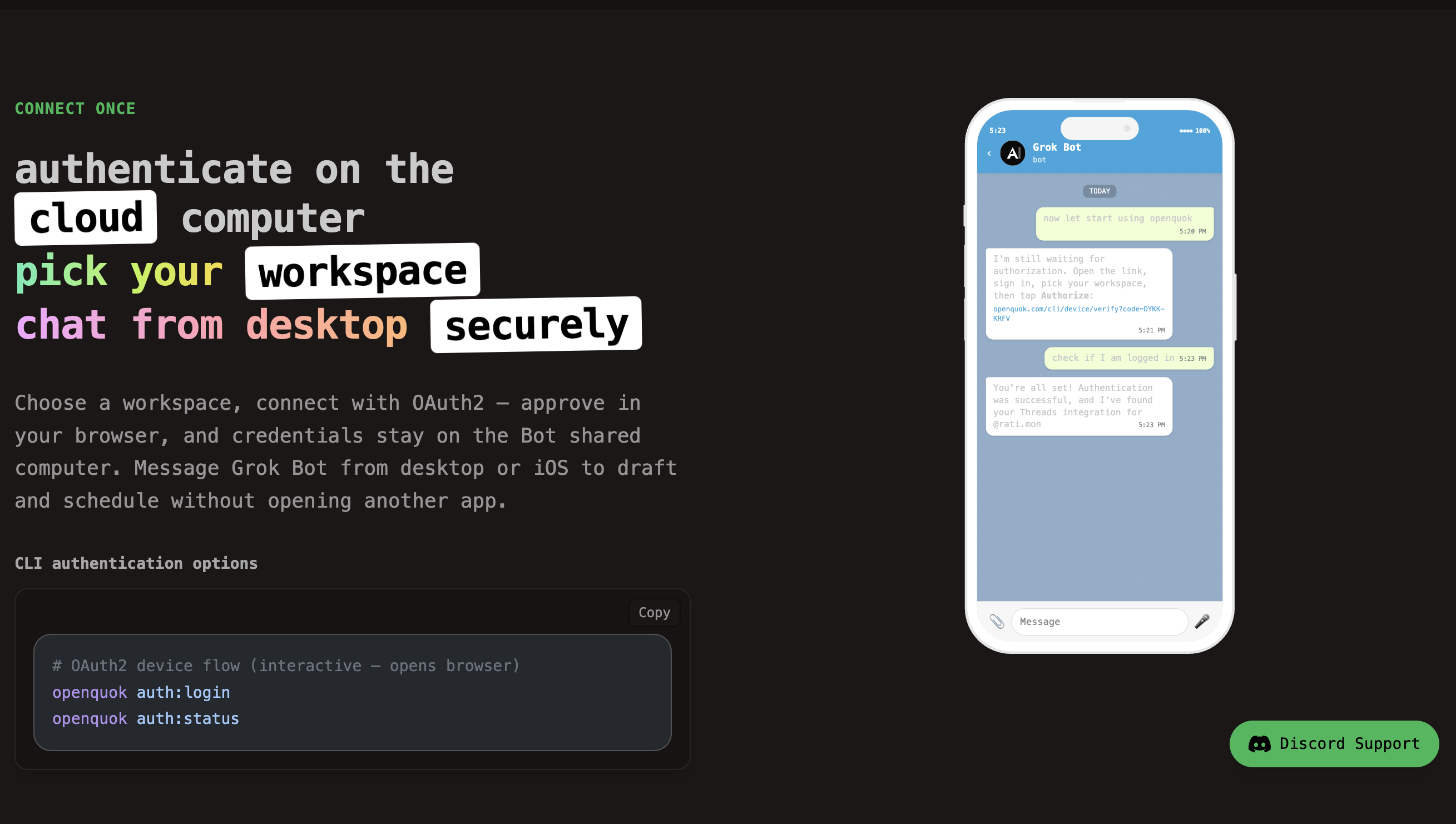
Sign up for OpenQuok and connect the channels you will draft to—start with X when Grok Bot is your primary host.
Ask the Bot to run
npm install -g @openquok/auto-cli@latestandopenquok --versionon its computer.Install the
openquok-coreskill under Settings → Plugins, or fetchSKILL.mdinto/workspace/openquok-core/per the setup guide.Authenticate with device login or a programmatic token in the environment on the computer—not in the chat transcript.
Verify with
openquok integrations:listand a harmlessopenquok posts:listwindow.
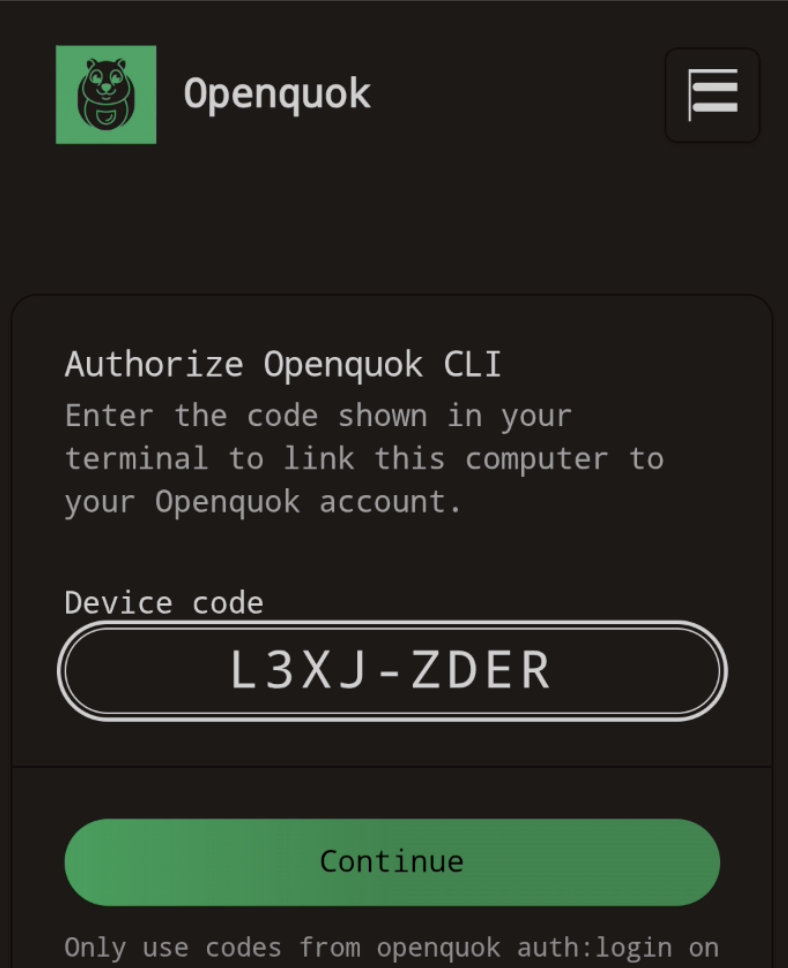
Step-by-step: Grok Bot agent setup guide. Landing context: Grok Bot on OpenQuok. After install, start a new chat so the Bot reloads skill instructions.
Before trends or scheduling, run Prompt 1 so house rules live in the brain and in Bot memory. Rule 1 is non-negotiable: every post stays a draft until you reply approved on that batch and confirm on OpenQuok.
Add Virlo for the daily trend loop
Every morning grokbot should ask one question: is there an honest bridge from today's trend to our app? Most trends will fail that test. That is healthy. A forced tie-in hurts more than silence.
X is the easy layer—Grok Bot can search it directly. TikTok and Instagram drive a large share of consumer discovery. Raw X signal does not replace short-form ranking. Virlo closes that gap for grokbot workflows—see Virlo grokbot.
Open Grok Bot Settings → Plugins and add Virlo, or follow Virlo's grokbot setup page.
Start with a small hashtag list—five terms—until you see volume and cost.
Teach the Bot to rank by save rate where available: saves divided by views. Saves beat likes for intent. When saves are missing, fall back to comments divided by views.
Cap politics, tragedies, and anything in the brain's off-limits list before you score trends.
Prompt 2 merges morning scan and multi-platform draft creation so you run one daily routine instead of two separate paste steps.
Prompt 1 — Foundation (run once)
Prompt 1 combines the app brain interview and OpenQuok house rules. Budget about an hour. Use voice dictation if that helps you brain-dump. Cover what the product does, who it is for, the magic moment, complaints, proof, and your ten best posts.
Every later prompt reads this brain. The trend scan scores against the pain bank and magic moment. The writer uses the voice section. Off-limits is your brand safety filter. The OpenQuok log in the brain replaces scattered log files so Monday reports can match hooks to outcomes.
Three house rules carry the system:
Draft-only publishing keeps you in control. The Bot can draft all day; your audience sees nothing until you approve.
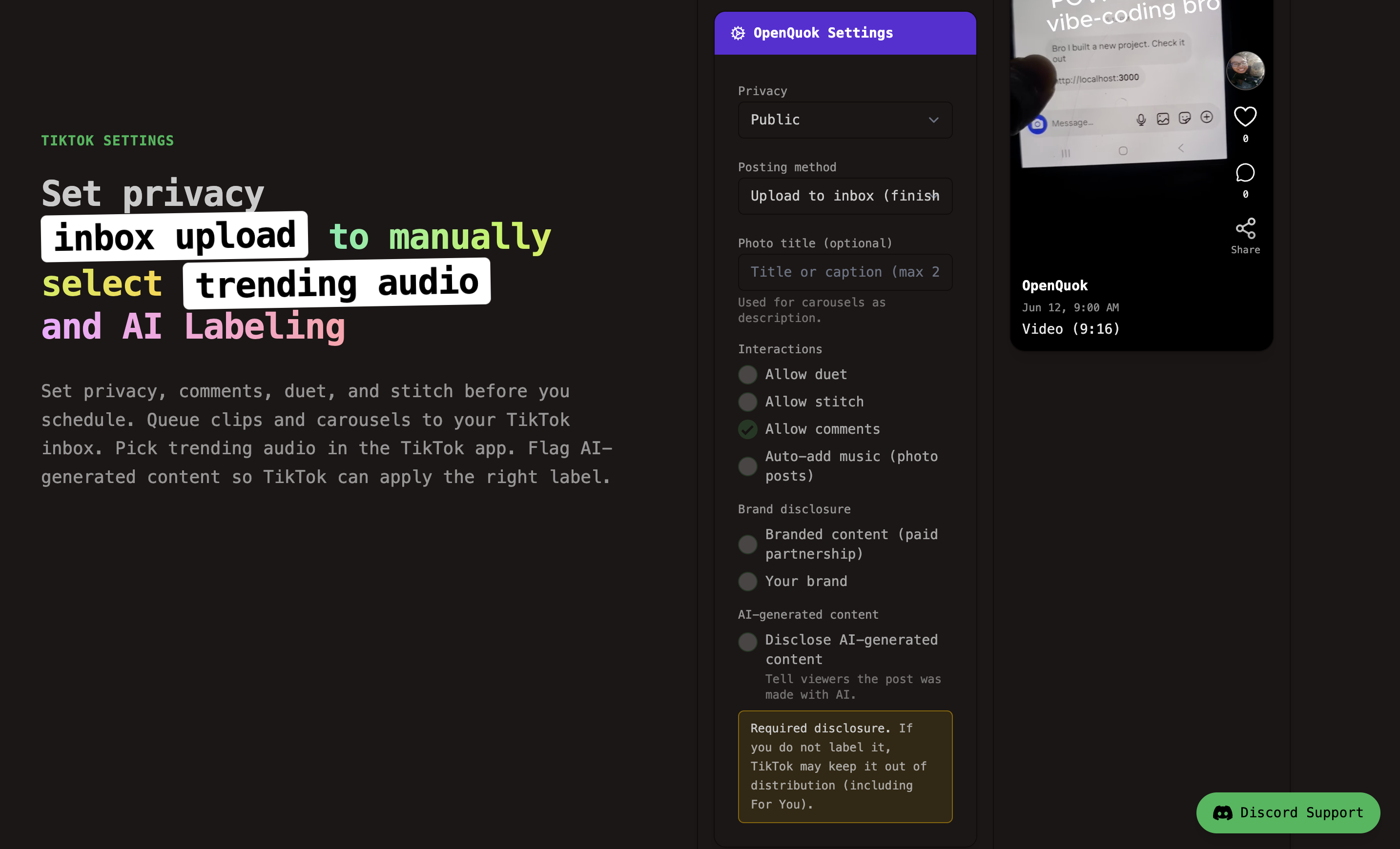
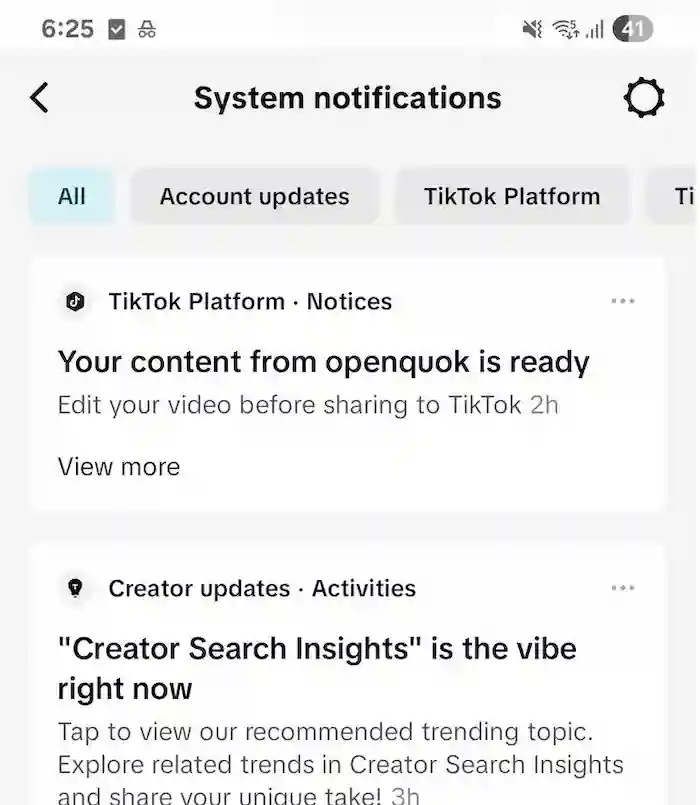
TikTok inbox / UPLOAD when you need trending audio—you finish in the TikTok app in about a minute. See TikTok on OpenQuok and per-channel settings.
Logging in the brain makes learning possible. Without dated hooks and trend sources, analytics are just vanity metrics.
You are the social media manager for [APP NAME].
Interview me until you can explain the product to a stranger. Ask follow-ups about audience, magic moment, complaints, and proof.
Then update [NOTION PAGE URL or OBSIDIAN NOTE App-Brain.md] with:
• One-sentence pitch a 12-year-old would get
• Audience and what they already tried
• Magic moment (3 seconds where they "get it")
• Pain bank: 20 user problems in their words
• Proof: numbers, reviews, results I gave you
• Voice and off-limits
• "What works for us" from these best posts: [LINKS] — hook, format, length eachAlso add a section "OpenQuok house rules" with these permanent rules:
1. Every openquok post is a DRAFT until I reply "approved" on that batch.
2. Convert my times to UTC before schedule.
3. Run openquok integration:schema before each network; respect limits.
4. Label AI and paid content per platform rules.
5. TikTok: use inbox / UPLOAD path when I need trending sound; I finish in the TikTok app.
6. Never duplicate captions across platforms—adapt each network.
7. Log every draft under "OpenQuok log" in this brain (date, platform, hook, trend source)—not a loose file on disk.Mirror house rules in your long-term memory. The Notion page or Obsidian note is the source of truth.
Prompt 2 — Daily create (routine: 7am)
Prompt 2 is your production engine. It reads off-limits, pulls X plus Virlo signal, scores honest bridges, sends you five candidates, waits for your picks, then drafts a multi-platform set as OpenQuok drafts with post IDs in the summary.
Platform shape still matters. X stays short with the hook on line one and no link in the body. LinkedIn gets a story arc with one sentence per line. TikTok and Instagram get a six-slide script with the product showing on slides three or four. Threads rewrites X without copy-paste duplication.
After the routine fires, you make the brand safety call. The Bot will happily tie your app to a trend that only fits on paper. You kill forced bridges.
Every day at 7am:
1. Read the App Brain off-limits list.
2. Trends — X: last 24h high-engagement search in [YOUR NICHE] (min_faves:500 or higher in noisy topics). TikTok + Instagram: use Virlo on [HASHTAGS / SEARCH TERMS]; top 20 from last 3 days; rank by save rate (or comments/views if saves missing). Note format and sound.
3. Score each trend 1–10 on growth, honest tie to pain bank or magic moment, and ease to ship today. Drop forced bridges.
4. Send me top 5 with platform, link, why it moves, and one-sentence bridge. Wait for me to pick 2–3.
5. For each trend I picked, draft one post per connected platform:
— X: short, hook first line, no link in body
— LinkedIn: story, one sentence per line, 100–200 words
— TikTok + Instagram: 6-slide slideshow script (app on slide 3–4)
— Threads: rewrite X, not a copyThree hook options each; pick the best. Use voice from the brain. Create all as openquok drafts. Send batch summary with post IDs. Append to "OpenQuok log" in the brain.
Examples: Grok Bot × Instagram, CLI examples.
Prompt 3 — Weekly calendar (after you reply "approved")
Once you approve a batch, you should not drag cards around by hand unless you want to. Prompt 3 fills seven days using OpenQuok analytics when you have history, falls back to default times when you do not, caps per-platform volume, avoids back-to-back same-topic posts, and leaves one open slot per day for a breaking trend from the 7am scan.
The open slot is deliberate. It lets a same-day trend ship without bumping work you already approved. If analytics are thin, use hypotheses from Best Time to Post until thirty-day data exists.
The Bot must show the full week as a table before it schedules. You reply approved on that table too.
I approved the drafts in [BATCH NAME OR DATE]. Schedule them across the next 7 days.
• Use openquok analytics:platform for the last 30 days for best slots; if thin, use [DEFAULT TIMES].
• Max [X] posts per platform per day.
• No back-to-back posts on the same topic.
• Leave one open slot per day for a same-day trend from the 7am scan.Show the full week as a table (platform, time UTC, hook, post ID). Do not schedule until I reply "approved" on this table.
Prompt 4 — Operate and learn (viral watch + Monday read)
Prompt 4 splits into two schedules. Save the text twice if your Bot needs separate routines: hourly (or every two to three hours if usage is tight) for viral watch, and Monday 8am for the learning report.
Viral windows are short. When a post beats your thirty-day baseline by a wide margin, you want draft follow-ups ready—not a scramble the next afternoon. The Monday read turns flops into rules in the brain so the next batch starts smarter.
Schedule A — viral watch:
Viral watch: Check openquok analytics for posts live in the last 48 hours. If any beat our 30-day average by 3×:
• Message me with post and numbers immediately.
• Confirm link comment / plug exists; draft one if not.
• Draft adapted versions for platforms missing—drafts only.
• Draft 3 same-structure hook variants.
• Append to "Winners" in the App Brain.
Nothing publishes without my approval.
Schedule B — Monday read:
Monday read: Pull last 7 days from openquok analytics:platform. Match rows to "OpenQuok log" in the brain. Pull conversions from [APP STORE / REVENUECAT / STRIPE].
Sort each post: high/low views × converting/not. Actions:
— High views + converting → 3 variations this week
— High views + not converting → keep hook, rework CTA
— Low views + converting → keep angle, test 3 hooks
— Low views + not converting → kill; log in "Failures"Then tell me: top 3 patterns, best platform, one thing to stop, any rule to add to the brain. Show brain edits before you save.
Five leaks this stack closes
Good posts fail after publish. These are the five leaks grokbot plus OpenQuok address together.
Leak | What goes wrong | OpenQuok lever |
|---|---|---|
No link after publish | Views without signups | |
Winner on one platform only | You proved demand once | Prompt 4 cross-platform drafts |
Evergreen posted once | 99% never saw it | |
Founder vs brand idle | Accounts do not reinforce each other | |
Nobody watches the viral hour | Spikes decay before you react | Hourly Prompt 4A routine |
Leak 1 — Nobody can find your app
Every serious post should make the next step obvious. For mobile apps that is often a one-line first comment with the App Store link. For SaaS it may be signup or a lead magnet URL. OpenQuok plugs fire after publish on supported channels so you do not type the same comment by hand fifteen minutes after go-live. You still approve plug copy when the Bot drafts it inside Prompt 4.
Leak 2 — Your winner lives on one platform
A post that pops on X already passed a hard test. Within twenty-four hours it should exist elsewhere—adapted, not duplicated. Grokbot drafts the set; OpenQuok publishes. LinkedIn might need a story layout. TikTok might need a slideshow script and inbox upload. That work is minutes with a brain and a skill, not an afternoon of tab switching.
Leak 3 — You only post winners once
Your followers saw it. The rest of the platform did not. Put evergreen winners on a repeat cadence—often thirty days—and let compounding work. Pair repeats with fresh hooks from Prompt 2 so the feed does not feel frozen.
Leak 4 — Founder and brand accounts sit idle
If you run a founder account and a brand account, they should amplify each other. Cross-account repost plugs let one channel's best work surface on the other after publish. You need at least two connected channels on that network. Setup: cross-account plugs.
Leak 5 — Nobody is watching when something takes off
The first hours after a spike decide how much you capture. Hourly viral watch is the routine to prioritize if you must choose one automation beyond the 7am draft loop. If plan usage is tight, run it every two or three hours instead of sixty-minute intervals.
The Monday read: views are not the scoreboard
Views are useful. Conversions are the scoreboard. A post with huge reach and weak signups needs a new call to action—not more reach. A post with modest reach and strong trials may need new hooks, not a new product.
Every Monday, sort last week into four buckets:
Converting | Not converting | |
|---|---|---|
High views | Draft three variations this week | Keep hook; rework CTA |
Low views | Keep angle; test three hooks | Kill; log in Failures |
The Failures section in your second brain is the most valuable long-term asset. Every flop becomes a rule for the next batch. If you get downloads but nobody pays, stop posting for a day and fix onboarding or paywall—content cannot fix a broken first-run experience.
Non-app products: point Prompt 4 at signups, trials, MRR, or qualified leads instead of installs. The loop stays the same.
Where you still need a human
You can hand most execution to grokbot. These calls stay yours:
The brain interview—only you know the magic moment.
Trend picking—you are the brand safety filter.
Approving every batch and every week table—nothing live without your yes.
TikTok trending sound—inbox finish in the app for about sixty seconds per clip.
Real replies to real people in comments.
Kill vs scale after the Monday sort.
Grokbot makes the machine easy to start. Consistency still wins on simple work repeated longer than competitors.
Routine map and usage limits
When | What runs | Brain updates |
|---|---|---|
Once | Prompt 1 — Foundation | Full App Brain + house rules |
Daily 7am | Prompt 2 — Daily create | Trend picks + OpenQuok log |
After approval | Prompt 3 — Weekly calendar | Scheduled week table |
Hourly (+/-) | Prompt 4A — Viral watch | Winners |
Monday 8am | Prompt 4B — Monday read | Failures + rule changes |
On publish | Plugs (not a chat prompt) | OpenQuok automations |
xAI documents routine limits per Bot—many teams run three core schedules comfortably: 7am create, viral watch, Monday read. Each run consumes plan usage. If hourly checks are heavy, widen the interval before you delete the routine.