Overview - Channels
What channels are in OpenQuok — one connected social account per channel, and where to connect, group, and manage them
Connect your agent today
Draft from chat, review in your calendar, and publish only what you approve.
What is a channel?
One connected social account per channel — the foundation for scheduling, groups, and analytics.
A channel is one connected social account — one X profile, one LinkedIn Page, one Threads account, and so on. You connect channels inside a workspace. Everything you schedule, review on the calendar, or see on My Dashboard kanban hangs off those connections.
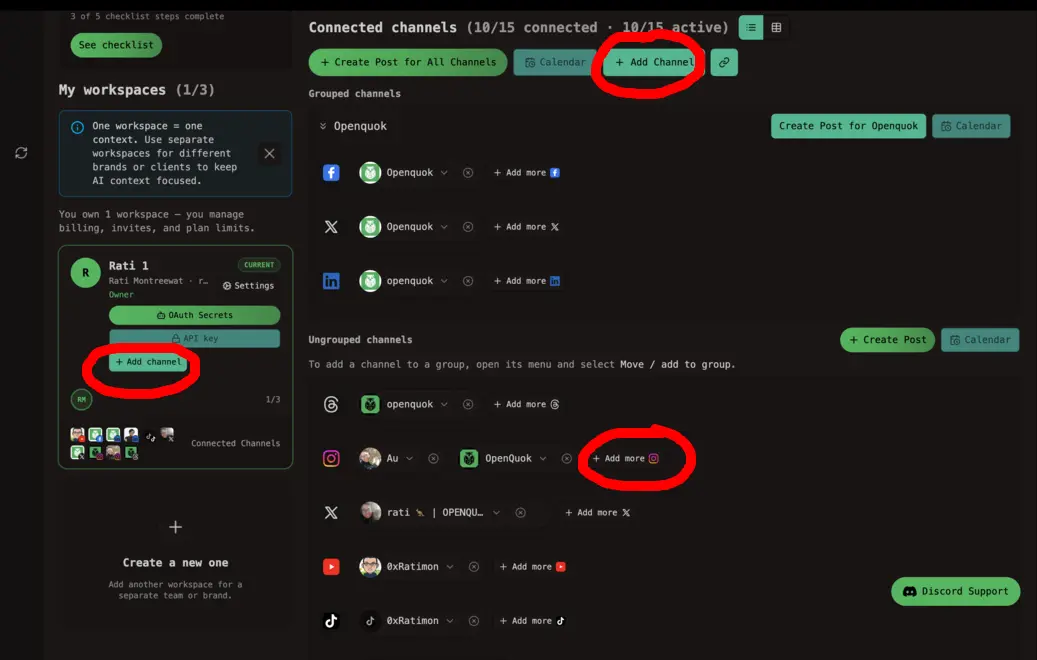
Connecting the same network twice (for example two different Instagram accounts) creates two separate channels.
Channel vs integration
The app says channel. The public API and CLI say integration. They mean the same thing — the UUID of a connected account.
Where channels show up
After you connect, the channel appears on My Dashboard with its avatar. You can also pick channels at the top of the post editor when you compose.
OpenQuok supports Meta Threads, Instagram (Business and Standalone), Facebook Page, YouTube, TikTok, LinkedIn profile and Page, X, Dev.to, and Bluesky. The public channel catalog lists each network with setup links.