Manage Your library
Manage your building blocks and playbooks under Libs → Your library — stats, new listings, edit, unpublish, and delete drafts.
Connect your agent today
Draft from chat, review in your calendar, and publish only what you approve.
Libs → Your library
Everything you created lives here — drafts, submissions awaiting approval, and listings live on the hub.
On Account → Saved, open the Libs tab and choose Your library.
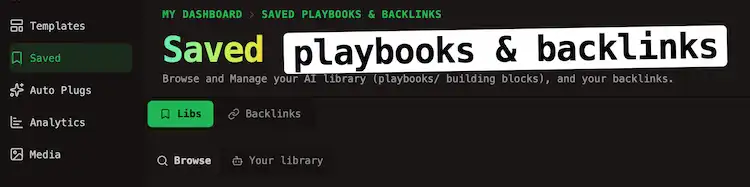
Browse and Your library share one Libs tab. A segmented control at the top switches between them. New building block and New playbook appear only on Your library.
Catalog overview
At the top, Catalog overview summarizes:
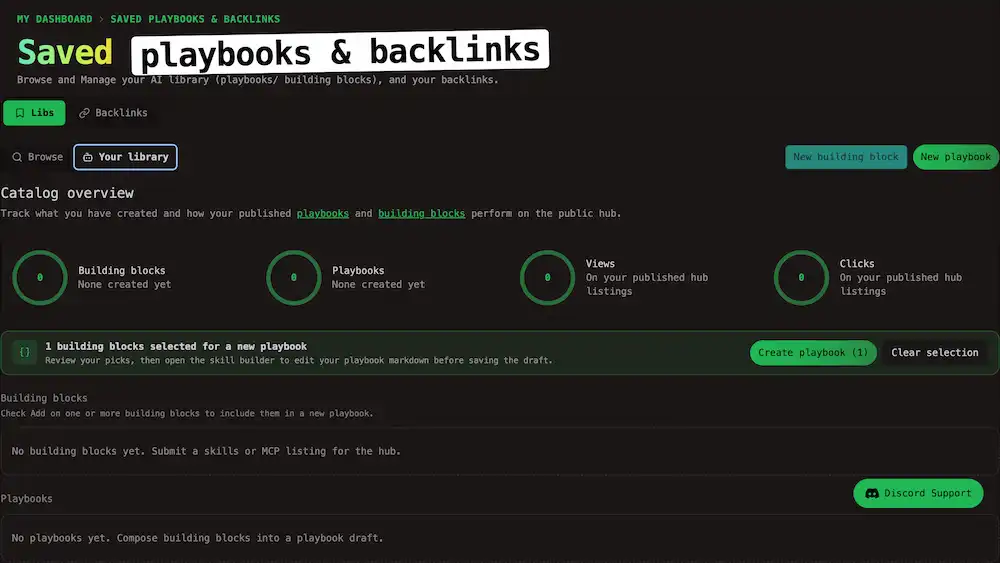
| Stat | Meaning |
|---|---|
| Building blocks | How many blocks you created and how many are published on the hub |
| Playbooks | Same for playbook |
| Views | Total views on your published hub libraries |
| Clicks | Total clicks on install or setup links on those listings |
Create a new buidling block or playbook
| Button | Opens |
|---|---|
| New building block | Building block editor for a single skill or MCP listing |
| New playbook | Skill Builder with a fresh stack (or the playbook editor when you already have a draft) |
Step-by-step publish and approval rules are in Publish via the UI.
Your grids
Two sections as:
- Building blocks — skills, MCP servers, or Both entries you own
- Playbooks — stacks that reference one or more building blocks
Tip
Cards show publish status (draft, awaiting approval, or live). Turn on Add on building blocks here when you want to bundle them into a new playbook. See Compose a playbook.
Card menu
Open ⋯ on your listing:
| Action | Applies to |
|---|---|
| Edit | All your listings — opens the building block or playbook editor |
| Delete | Drafts only — permanent; you must type YES to confirm |
| Unpublish | Published listings — removes the entry from the public catalog |
Note
Unpublish keeps your work and stack members. Bookmarks others saved also stay. You can turn Publish on again from the editor. Delete is only for drafts you no longer need.
Public username reminder
If you have not chosen a creator username, a blue banner explains that listings publish under /creators/your-username/…. Use Choose username or open Profile before you expect a public URL.
After approval
Approved building blocks appear on Building Blocks. Approved playbooks appear on Playbooks and on your row in Creators.
Warning
Community submissions need platform admin approval before they show on those hubs. Status stays visible on your cards until then.