Create your own playbook
Select building blocks, then finish the stack in Skill Builder and save a playbook draft.
Connect your agent today
Draft from chat, review in your calendar, and publish only what you approve.
Compose a playbook
Turn one or more building blocks into a playbook draft — arrange steps in Skill Builder, then save from your account.
A playbook tells an agent which blocks to install and how to run them in order. You do not need to write the whole file by hand. OpenQuok helps you stack blocks and preview markdown.
Selection bar
On Libs → Browse or Libs → Your library, find the dashed Compose a playbook from building blocks bar above the building block grid.
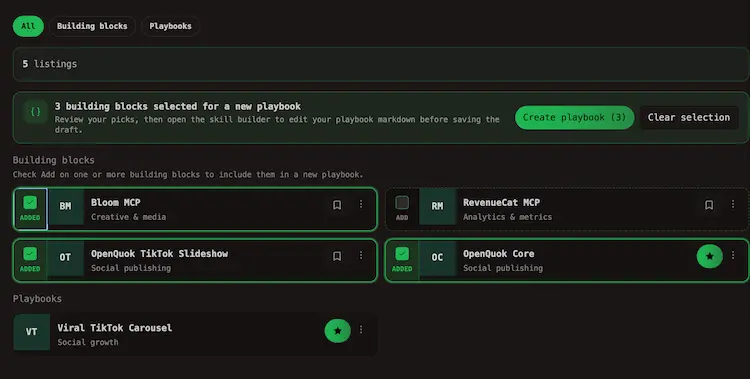
- Turn on Add on each building block you want in the stack.
Note
Playbook cards are not selectable here.
- The bar shows how many blocks you picked.
- Click Create playbook (n).
- Click Clear selection to start over.
What happens next
OpenQuok saves your picks and opens Skill Builder with those blocks pre-loaded. There you can:
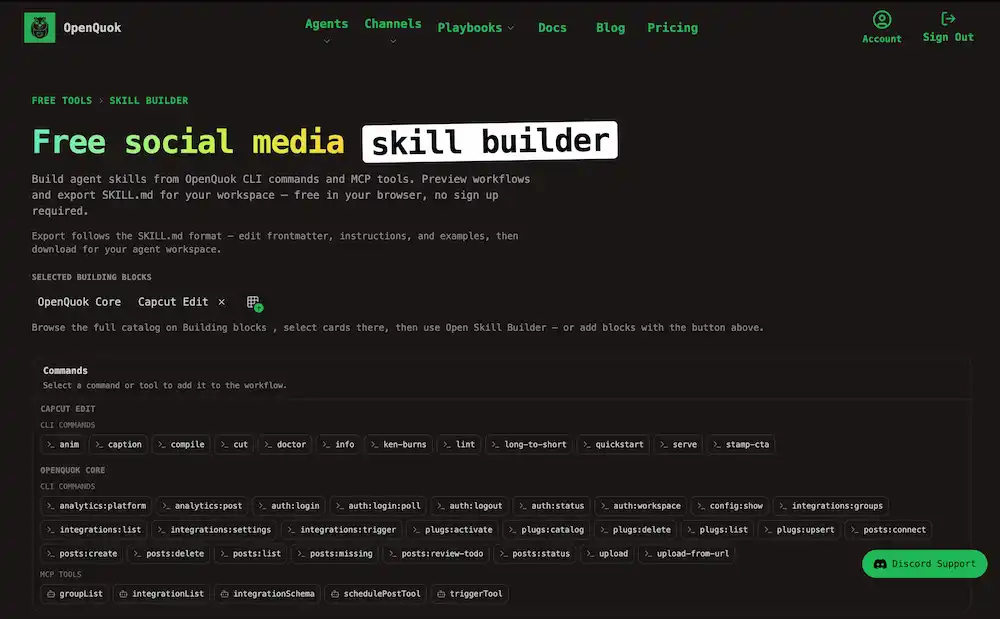
- Reorder or remove members of the stack
- Add workflow steps — CLI commands, prompts, and notes between blocks
- Preview the exported
SKILL.mdon the right
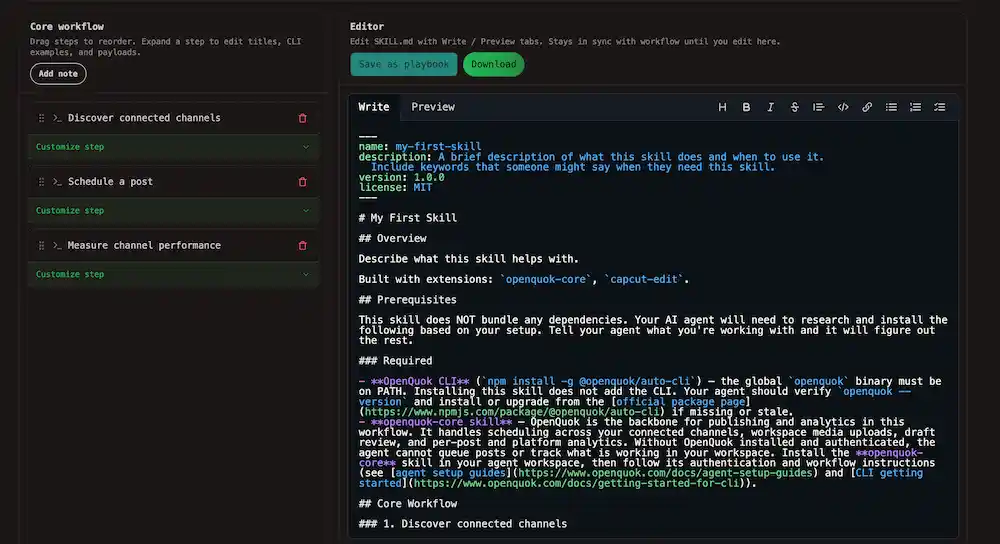
Sign in and choose Save as playbook to open the playbook editor with the draft filled in.
Tip
Skill Builder includes OpenQuok Core by default so scheduling commands stay in the stack. Read the hub page at OpenQuok Core or the skill file on GitHub for install and auth steps.
Start without selecting blocks
On Your library, New playbook clears any Skill Builder draft and opens Skill Builder so you can pick blocks inside the tool instead of the grid.
Publish the draft
Finish in Skill Builder
Arrange steps and confirm the markdown preview looks right.
Save as playbook
Use Save as playbook (sign in if prompted). The playbook editor opens with title, members, and tags ready to edit.
Submit for review
Save, then enable Publish when you want others to install the stack. Community playbooks need admin approval — see Publish via the UI → Publish a playbook.
Other ways to discover blocks
| Entry point | What it does |
|---|---|
| Building Blocks hub | Browse with the public sidebar; multi-select Create playbook opens Skill Builder with those slugs |
| Saved → Libs → Browse | Same sidebar filters and bookmarks as the hub, inside your account |
| Playbooks hub | See full workflows others published; bookmark them from Browse or on hub cards |
| Agents hub | Pick a harness, then install OpenQuok Core or blocks from catalog links |